
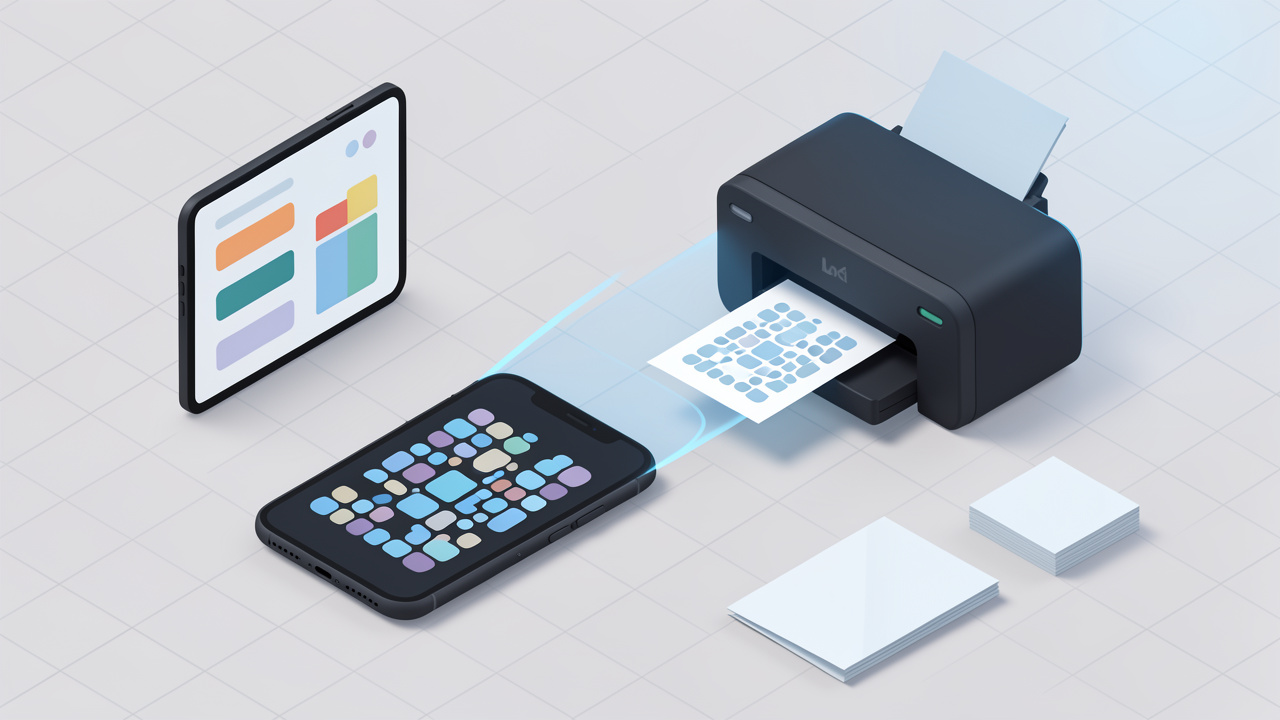
A good QR code generator online can turn a plain link, menu, contact card, or payment request into something people can scan in seconds.
A bad one can leave you with blurry exports, broken redirects, weak analytics, or a printed code you cannot change after 1,000 flyers are already out the door.
That is why choosing the right tool matters. Small business owners want something fast and affordable. Freelancers care about branding and ease of use. Developers often need APIs, automation, and predictable output. This guide covers all three angles, with a practical how-to, a balanced comparison, and a clear decision framework so you can pick the right online QR code generator without trial and error.
What is an online QR code generator?
Quick definition and how it works
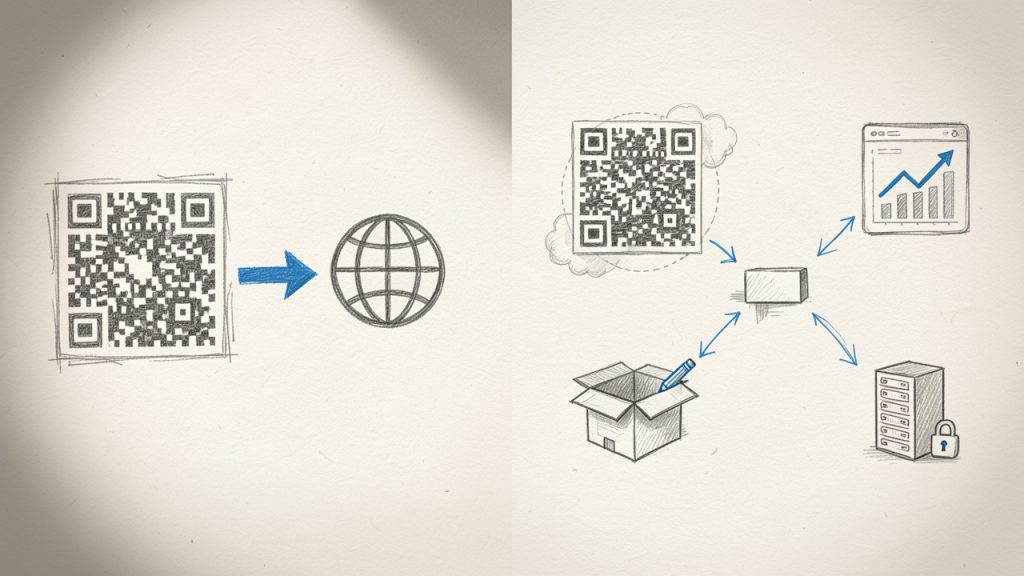
An online QR code generator is a web-based tool that converts information into a scannable QR code image. Instead of installing software, you open a browser, choose a content type, paste in your data, and download the finished code as an image or vector file.
Behind the scenes, the tool encodes your content into a matrix of square modules. A phone camera reads that pattern, reconstructs the data, and triggers an action such as opening a URL, joining Wi-Fi, saving a contact, or displaying text. Most generators also let you choose export formats like PNG, SVG, or PDF, and many offer design controls such as colors, frames, and logo placement.
QR codes also include error correction, which allows the code to remain scannable even if part of it is damaged or covered. That is useful on packaging, signage, or business cards. But higher error correction can make the pattern denser, so customization needs to be handled carefully.
Common QR code types (URL, vCard, Wi‑Fi, text, email, SMS, PDF, event)
Most online tools support the most common QR code formats used by businesses and individuals. A URL QR code is the simplest and most common, often used for websites, menus, forms, landing pages, app downloads, and portfolios.
A vCard QR code stores contact details so someone can save your name, phone number, email, and company instantly. Wi‑Fi QR codes let guests join a network without typing a password. Email and SMS QR codes prefill communication details, which is useful for support or lead capture. PDF and file-based QR codes point users to downloadable assets such as brochures or manuals. Event QR codes can contain calendar information like date, time, and location.
For business use, URL and dynamic landing page codes dominate because they are flexible and measurable. For personal use, vCard, Wi‑Fi, and text codes are often enough.
Static vs dynamic QR codes, key differences and use cases
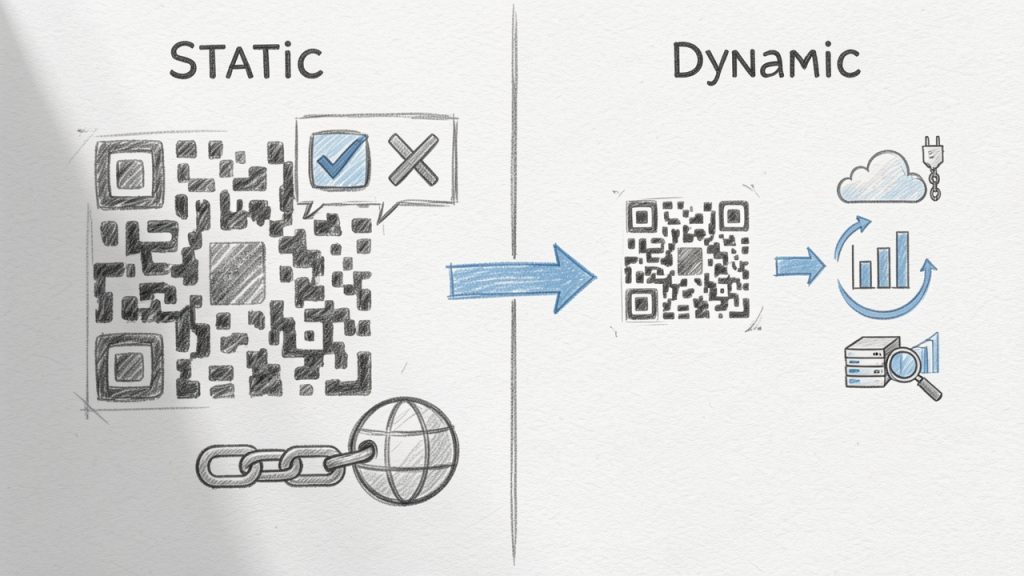
A static QR code directly stores the final content. If you encode a URL into it, that URL is permanent. Static codes are usually free, simple, and ideal for information that will not change, such as a personal website, a permanent portfolio link, or a stable support page.
A dynamic QR code points to a short redirect URL managed by the provider, which means you can change the final destination later without changing the printed code. This is extremely useful for restaurant menus, campaigns, product packaging, event materials, and any situation where content may evolve after printing.
Dynamic codes also enable scan analytics, device insights, geographic trends, and campaign management. The trade-off is that they usually require a paid plan and depend on the provider’s infrastructure. If the subscription ends or the provider changes limits, your code behavior may be affected, so provider reliability is a real selection factor, not just a pricing detail.
Why use an online QR code generator, benefits and limitations
Benefits, speed and accessibility
The main appeal of a QR code generator online is speed. You can go from idea to downloadable file in under a minute, without installing desktop software or dealing with graphic design tools. That matters when you need a code for a flyer, invoice, event badge, or product insert right away.
Online tools are also accessible from anywhere. A freelancer can create a vCard QR code on a laptop, a café owner can update a menu from a tablet, and a marketer can build campaign codes from a browser while collaborating with a remote team. Many platforms provide templates, brand color controls, logo options, and multiple file formats so the same code can be used on social posts, posters, print collateral, and packaging.
Limitations, privacy and reliability
Not every free tool is truly free in practical terms. Some add watermarks, limit high-resolution exports, or gate dynamic codes behind a subscription. Others let you build a code but retain control over tracking links, analytics dashboards, or branded landing pages.
Privacy is another real issue. If you create dynamic QR codes through a third-party platform, that provider may process scan data, destination URLs, campaign names, or visitor metadata. For basic use, that may be acceptable. For healthcare, finance, internal operations, or regulated customer data, it may not be.
Reliability matters too. If you print a dynamic code on packaging and the provider’s redirect service fails, users hit a dead end. For mission-critical use, you want strong uptime, account controls, and a clear understanding of what happens if your plan lapses.
When to choose a free tool versus paid or enterprise solutions
A free tool makes sense when you need static QR codes, simple exports, and no analytics. It is perfect for portfolio links, Wi‑Fi access cards, contact sharing, internal labels, or one-off printed materials where the destination will not change.
A paid tool is better when you need dynamic redirects, tracking, campaign organization, editable destinations, multiple team members, or brand consistency across many codes. An enterprise solution becomes worthwhile when QR codes are tied to customer journeys, asset management, retail packaging, large events, or compliance-sensitive workflows.
How to pick the best QR code generator for your needs
Key criteria you should check
Start with the use case, not the tool. If you need a QR code for a business card, almost any solid generator will do. If you need to manage 500 product QR codes, rotate destinations seasonally, and export data into your reporting stack, your shortlist gets much smaller.
The most important criteria are content type support, static versus dynamic options, analytics quality, customization controls, and export formats. For print, SVG and PDF matter because they scale cleanly. For digital use, PNG is often enough. If you are a developer or part of an ops team, look for API access, bulk generation, and campaign-level organization.
Security and privacy checklist
Before committing to a platform, ask simple but important questions. Does the site use HTTPS? Does it explain how scan data is stored? Can you restrict team access? Is there a way to delete codes or export ownership data? Does the provider document privacy compliance or data processing terms?
If you plan to collect user interactions through dynamic codes, especially in the EU or similar regulated markets, your privacy posture matters. QR scan analytics can include location patterns, device types, and timestamps. Even when data is aggregated, it can still fall into a broader compliance conversation.
Budget and licensing considerations
Pricing models vary more than people expect. Some tools are free for unlimited static codes but charge for dynamic ones. Others price by code volume, scan volume, or feature tier. A design platform may include QR generation as part of a broader subscription, while enterprise tools package analytics, integrations, and support into higher monthly contracts.
If you are comparing costs, calculate the total value of one printed mistake. A paid dynamic plan may cost less than reprinting menus, shelf talkers, or event materials because a destination changed.
Step-by-step guide, create a QR code online
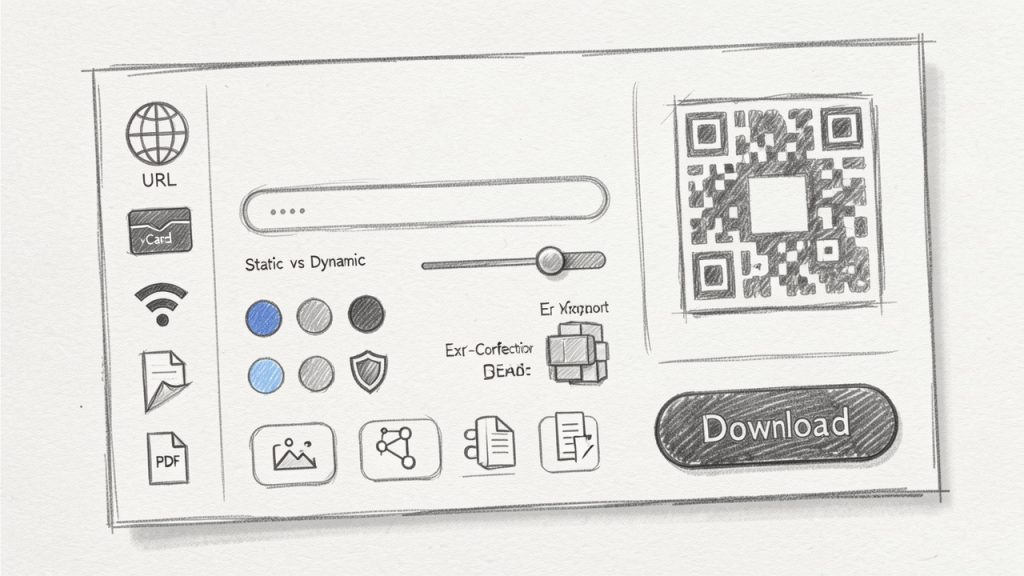
Step 1, choose the QR code type and enter content
Begin with the end action you want the user to take. If the goal is to drive traffic, use a URL QR code. If the goal is contact sharing, use a vCard. If it is convenience in a physical location, Wi‑Fi may be the right fit.
Keep the destination clean and purposeful. For links, use final URLs that are mobile-friendly and fast-loading. If you are tracking campaigns, apply UTM parameters consistently so analytics are meaningful after the scan.
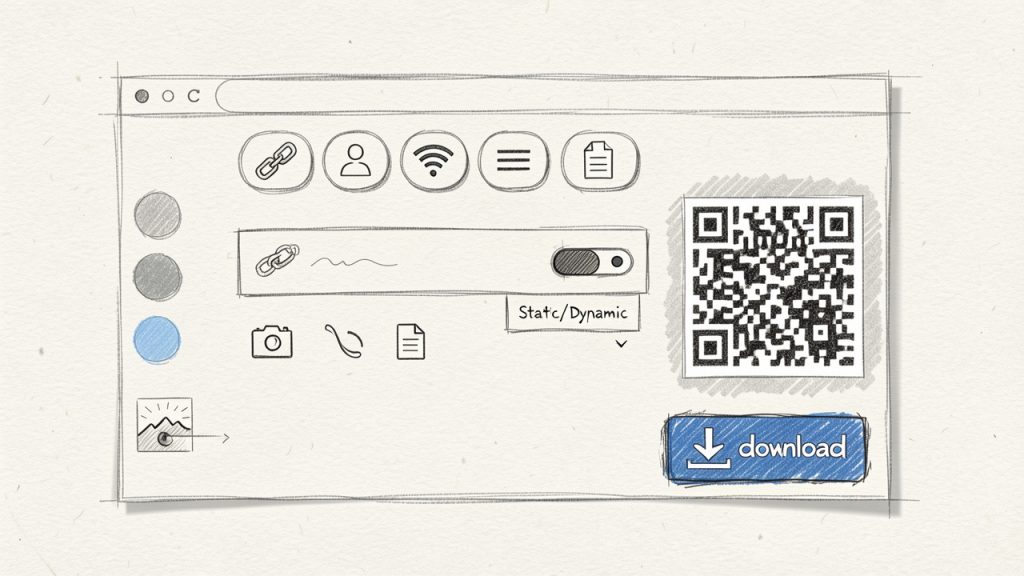
Step 2, select static or dynamic and set redirect options
Choose static if the destination will stay fixed. Choose dynamic if you might need to update the destination later, pause a campaign, A/B test landing pages, or review scan analytics.
For dynamic campaigns, define naming conventions early. A label like “Spring Poster” is not enough at scale. Use structured names such as “2026-Q2-Retail-Window-NYC-A” to make later reporting and management straightforward.
Step 3, customize design with accessibility in mind
A branded QR code can look great, but scan reliability always comes first. Maintain strong contrast between foreground and background. Dark code on a light background is still the safest choice. Avoid busy backgrounds, low-contrast color pairs, and oversized logos that eat into the scannable area.
If you add a logo, use an appropriate error correction level and test aggressively. Decorative frames can improve response rates because they signal action, but keep the quiet zone, the blank margin around the code, intact.
Step 4, set tracking and test across devices
If your platform offers analytics, enable them before launch. Use campaign naming and UTM structure that match the rest of your marketing stack. That way, scans can be tied back to source materials, locations, or placements.
Then test on multiple devices, under real conditions. A code that scans perfectly on a new flagship phone in bright office light may struggle on an older budget phone in a dim restaurant. Test both iPhone and Android if possible, and check common camera apps rather than relying on a single scanner app.
Step 5, download the right file format for print or web
Use PNG for quick digital use, social graphics, or slide decks. Use SVG for logos, signage, packaging, and any design that may be resized. Use PDF when delivering assets to printers or embedding in production-ready materials.
For print, avoid tiny codes. In many real-world cases, at least 2 x 2 cm is a practical minimum for close-range scanning, while posters and signage usually need more. If the scanning distance increases, the code size should increase too. A useful rule of thumb is that the scanning distance should be roughly ten times the code width.
Comparison: Top online QR code generators (features, pricing, pros & cons)
Overview of evaluated tools
The tools below are among the most visible and useful options for people searching for a QR code generator online. They differ in philosophy. Some focus on free static generation and design flexibility. Others focus on dynamic campaigns, enterprise controls, or template-driven design workflows.
| Tool | Best For | Static Codes | Dynamic Codes | Analytics | Design Customization | API/Automation | Typical Pricing Position |
|---|---|---|---|---|---|---|---|
| QRCode Monkey | Free, high-quality static codes | Yes | Limited via related services | Limited | Strong | No major public focus | Free-first |
| QR Code Generator by Egoditor | General business use | Yes | Yes | Yes | Good | Limited compared with enterprise tools | Freemium |
| Beaconstac | Teams, enterprise, analytics | Yes | Yes | Strong | Good | Yes | Premium |
| QRStuff | Straightforward business use | Yes | Yes | Moderate | Moderate | Limited | Mid-range |
| Canva | Design-first users | Yes | Limited depending on workflow | Limited | Excellent in design context | No | Subscription ecosystem |
QRCode Monkey
QRCode Monkey is one of the most popular choices for people who want a free online QR code generator with strong visual customization. It is especially appealing to freelancers, designers, and small businesses that need high-resolution codes quickly without getting pulled into a complex subscription flow.
Features include high-resolution PNG and SVG exports, logo and color customization, and support for multiple content types. Its simplicity and quality output make it a reliable pick for brochures, posters, packaging mockups, or business cards.
Its main advantages are ease of use and excellent free static QR code generation with strong customization for visual branding. The downsides are limited analytics and dynamic management, which make it less suitable for enterprise workflows that require campaign tracking or API automation.
Website: https://www.qrcode-monkey.com
QR Code Generator by Egoditor
This platform balances consumer simplicity and business functionality. It supports both static and dynamic QR codes, offers editable destinations and basic scan analytics, and provides business-ready templates for common use cases like promotions, menus, and landing pages.
It is a good fit for marketers, local businesses, agencies, and teams who want editable destinations and tracking without committing to enterprise pricing. Advanced analytics may be limited compared with enterprise platforms, and free access is narrower than static-only tools, so costs can rise as usage grows.
Website: https://www.qr-code-generator.com
Beaconstac
Beaconstac is geared toward serious business use where dynamic QR codes, analytics, team controls, integrations, and operational reliability matter. It supports advanced dynamic QR management, campaign analytics, team and enterprise features, API and integration support, and is built for compliance-aware environments.
This tool is strong for scale and governance, making it suited to packaging, retail, field marketing, customer journeys, and multi-location campaigns. The trade-offs are higher cost and increased setup discipline to get full value, so it may be overkill for basic personal use.
Website: https://www.beaconstac.com
QRStuff
QRStuff is an established, practical option for users who want a broad selection of QR content types without a design-heavy workflow. It supports many content types, static and dynamic options, and a simple interface, which makes it useful for educators, small businesses, and non-designers.
Its appeal is breadth and familiarity rather than cutting-edge design controls. Customization is less polished than some competitors and analytics depth may not satisfy larger teams, but it remains a solid practical option for many scenarios.
Website: https://www.qrstuff.com
Canva
Canva is not a dedicated QR platform, but it is valuable for users who already design flyers, menus, posters, and social graphics there. Generating a QR code inside a layout saves time and preserves visual consistency, which is why many small businesses prefer it.
Canva’s strength is context and template integration rather than deep analytics or dynamic campaign management. If you need enterprise-level tracking or API access, a dedicated QR platform will be a better fit.
Website: https://www.canva.com
Best practices and real-world use cases
Print marketing (posters, business cards, flyers)
In print, placement matters almost as much as the code itself. A QR code tucked into a crowded corner of a flyer often underperforms, even if it scans fine. Give it room, pair it with a clear call to action, and make the destination match the user’s context. A poster in a shop window should not send users to a cluttered homepage; it should route to the exact offer.
For business cards, use a QR code to reduce friction. A vCard or booking link often performs better than a generic homepage. For posters and public signage, expect scan rates to depend heavily on visibility, urgency, and the clarity of the action promised.
Restaurants and menus
Restaurant QR codes need durability and trust. If the code links to a PDF menu that loads slowly, the user experience breaks immediately. A mobile-friendly webpage is often better than a heavy file. The code should be easy to wipe clean, physically visible, and not buried among decorative patterns.
Dynamic QR codes are especially valuable here because menus change. One printed table card can continue working across seasonal updates, item changes, or language variations.
Events and ticketing
For events, QR codes can handle registration, maps, agenda pages, and ticket validation. Security matters more in this context. If codes grant access or reveal attendee information, do not treat them as casual marketing assets.
A dynamic QR setup can help rotate destinations or disable outdated pages after the event. It also allows organizers to track where attendee engagement is strongest, such as entrances, booths, or printed schedules.
Product packaging and inventory
On packaging, QR codes often outlive the original campaign timeline, which makes dynamic management especially useful. A code can first support a launch page, then later route to instructions, warranty registration, or updated compliance information.
For inventory or asset tracking, reliability beats decoration. Use high contrast, consistent labels, and durable materials. Fancy styling rarely helps in warehouse conditions.
Contactless payments and check-ins
Payment and check-in flows raise the stakes because users expect speed and confidence. If you link to payment pages, use trusted domains and clear branding. If you support venue check-ins, consider privacy disclosure and how long associated data will be retained.
Troubleshooting and FAQs
Why won’t my QR code scan?
The most common causes are low contrast, insufficient size, poor print quality, broken quiet zone, or over-customization. If you inserted a large logo, changed the eye shapes, and used a gradient on a dark background, the design may simply be too aggressive.
Start by testing the plain black-and-white version. If that scans reliably, add branding back gradually.
How to track scans and where analytics might be misleading
Scan analytics are useful, but they are not perfect. A “scan” may represent a camera recognition event, a redirect hit, or a user who never fully loaded the destination page, depending on the provider. That means QR platform data and web analytics may not match exactly.
Use QR scan data as directional insight, then confirm behavior with landing-page analytics and campaign tags.
How to change destination after printing
You can only change the destination after printing if the QR code is dynamic. Static codes are fixed once generated.
If flexibility matters, always choose dynamic for printed materials with any chance of future updates.
Legal and privacy questions
If your QR setup collects scan metadata or routes users to forms, privacy obligations may apply. In GDPR-sensitive contexts, be transparent about data collection, minimize unnecessary tracking, and coordinate with your legal or compliance team when scan data links to identifiable individuals.
Recommended workflow and checklist before launch
A reliable QR workflow prevents expensive mistakes. Treat QR codes like mini digital products, not just images. Define the objective, assign ownership, test under real conditions, and keep a version record of every live code.
Before launch, confirm the destination URL, mobile usability, print size, contrast, file format, and device testing coverage. After launch, monitor scan trends, landing-page conversions, and failure signals such as sudden drop-offs or geographic anomalies.
| Stage | What to Check | Why It Matters |
|---|---|---|
| Pre-launch | Destination URL, UTM tags, mobile page speed | Prevents broken journeys |
| Design review | Contrast, quiet zone, logo size, CTA text | Protects scan reliability |
| Testing | iPhone, Android, bright light, dim light, print sample | Reduces real-world failure |
| Deployment | Final export format, print proof, version naming | Avoids production mistakes |
| Post-launch | Scan trends, page conversions, redirect status | Enables optimization |
Resources and tools
Quick references (size and print table, contrast rules)
A few practical guidelines go a long way. Keep contrast high, preserve the quiet zone, and scale the code to match the expected scanning distance. For close-up materials like table tents or business cards, a modest size may work. For walls, posters, or storefront glass, increase size generously.
| Use Case | Recommended Starting Size | Best Format |
|---|---|---|
| Business card | 2 x 2 cm | SVG |
| Flyer or brochure | 2.5 to 3 cm | SVG or PDF |
| Table tent/menu card | 3 to 4 cm | SVG or PDF |
| Poster | 4 cm and up | SVG or PDF |
| Packaging label | Depends on viewing distance, often 2.5 cm+ | SVG |
Links to tools and further reading
For tool evaluation, start with the official sites mentioned in this guide. For standards and technical background, consult authoritative references such as ISO-related materials, printer guidelines, and analytics platform documentation. Also review your web analytics setup so scan traffic is categorized properly.
Free assets (print-ready templates, QR test checklist)
If you build QR codes regularly, create your own internal assets: a print proof template, a naming convention sheet, and a device testing checklist. These lightweight documents save more time than hopping between tools.
Conclusion, which QR generator should you use?
If you want the best free QR code generator online for static, high-quality, customizable exports, QRCode Monkey is an easy recommendation. If you want a balanced business tool with dynamic options, QR Code Generator by Egoditor is a practical fit. If analytics, team management, and scale are priorities, Beaconstac is the stronger choice. If you prefer straightforward breadth, QRStuff still holds up. If your workflow starts in design, Canva is the most convenient.
The right choice depends less on the QR code itself and more on what happens after the scan. Pick the tool that matches your need for flexibility, measurement, and reliability.
Then test it like it matters, because once a QR code is printed, it often does.
Leave a Reply