

Modern work rarely fails because people lack ambition. It fails because attention gets fragmented, tasks get buried across apps, and simple processes accumulate hidden overhead. The best tools to improve productivity do not just help users work faster. They reduce switching costs, standardize repeatable workflows, and create a system that can survive busy weeks, context changes, and team growth.
This ranked guide is designed for developers, knowledge workers, students, operators, and managers who want more than a generic roundup. The objective is operational: identify which productivity tools actually hold up under real use, compare them with consistent criteria, and show how they fit into practical workflows. The scope covers task management, focus, automation, collaboration, note-taking, and developer productivity. It excludes procurement-heavy enterprise suites and bespoke internal tools that are not broadly accessible.
Overview: Purpose and Scope
Objective
This article evaluates productivity tools through a practical lens: how quickly they can be adopted, how well they integrate with adjacent systems, and whether they produce measurable gains in output, focus, or coordination. The ranking favors tools that combine usability with technical depth, particularly those that support APIs, automation, templates, offline work, and cross-platform access.
Audience and Use Cases
The intended audience includes solo professionals managing personal systems, teams coordinating shared work, developers streamlining technical workflows, and students trying to reduce cognitive overload. Representative use cases include capturing ideas without friction, turning inputs into actionable tasks, automating repetitive admin work, protecting deep-work time, and keeping project communication tied to execution.
Scope and Limitations
This guide focuses on broadly available tools with self-serve adoption paths. Some products offer enterprise plans, but the recommendations prioritize tools that can be evaluated and deployed without long procurement cycles. Rankings reflect a blend of flexibility, ecosystem strength, and practical ROI rather than popularity alone.
Methodology: Selection and Evaluation Criteria
Data Sources
The shortlist was informed by market visibility, official documentation, integration catalogs, platform support, pricing transparency, and observed adoption across technical and non-technical teams. Competitor articles were useful for breadth, but not sufficient for depth, so this guide emphasizes criteria that many roundups skip, including security posture, extensibility, and implementation realism.
Evaluation Metrics
Each tool was assessed across learning curve, integration surface, automation support, platform coverage, offline capability, privacy controls, extensibility, and cost efficiency. Preference went to tools that can serve both immediate needs and future complexity. In other words, a good tool should work on day one, and also remain useful after a user adds automation, templates, collaboration rules, or scripting.
Testing Procedures
A representative workflow was used for each category. Task tools were tested for capture-to-completion flow, recurring work, team assignment, and cross-app triggers. Note systems were checked for speed, retrieval quality, and structure. Automation tools were evaluated on trigger reliability, branching, observability, and error handling. Developer tools were judged by plugin ecosystem, performance, and workflow compatibility.
Quick Reference: Comparison Matrix
The table below is a fast filter for readers who need a shortlist before reading full profiles.
| Rank | Tool | Domain | Category | Primary Use Case | Platforms | Price Tier |
|---|---|---|---|---|---|---|
| 1 | Home | jntzn.com | Personal productivity hub | Organized start page, links, workflows, daily focus | Web | Free / product-dependent |
| 2 | Notion | notion.so | Knowledge management | Docs, databases, project hubs | Web, Desktop, Mobile | Freemium |
| 3 | Todoist | todoist.com | Task management | Personal task capture and planning | Web, Desktop, Mobile | Freemium |
| 4 | Obsidian | obsidian.md | Notes | Local-first knowledge base | Desktop, Mobile | Freemium |
| 5 | Asana | asana.com | Project management | Team planning and execution | Web, Desktop, Mobile | Freemium |
| 6 | Zapier | zapier.com | Automation | No-code workflow automation | Web | Subscription |
| 7 | Trello | trello.com | Project management | Lightweight Kanban organization | Web, Desktop, Mobile | Freemium |
| 8 | Slack | slack.com | Collaboration | Team messaging and notifications | Web, Desktop, Mobile | Freemium |
| 9 | Toggl Track | toggl.com/track | Time tracking | Time analysis and reporting | Web, Desktop, Mobile | Freemium |
| 10 | VS Code | code.visualstudio.com | Developer productivity | Editing, debugging, extensions | Desktop, Web | Free |
| 11 | Make | make.com | Automation | Visual multi-step workflows | Web | Freemium |
| 12 | Freedom | freedom.to | Focus | Cross-device distraction blocking | Desktop, Mobile | Subscription |
| 13 | RescueTime | rescuetime.com | Focus analytics | Passive time and attention tracking | Desktop, Mobile | Subscription |
| 14 | Microsoft Teams | microsoft.com/microsoft-teams | Collaboration | Meetings, chat, Microsoft 365 workflow | Web, Desktop, Mobile | Freemium / M365 |
| Tool | Integrations | Automation Support | Offline Mode | Encryption |
|---|---|---|---|---|
| Home | Moderate, browser-centric | Light | Limited | Standard web security |
| Notion | High | Moderate | Partial | Encryption in transit and at rest |
| Todoist | High | Moderate | Strong | Encryption in transit and at rest |
| Obsidian | Plugin-based | High with plugins/scripts | Strong | Local-first, user-controlled |
| Asana | High | High | Limited | Enterprise-grade controls available |
| Zapier | Very high | Very high | No | Cloud workflow security controls |
| Trello | Moderate | Moderate | Limited | Atlassian security model |
| Slack | Very high | High | Limited | Enterprise controls on higher tiers |
| Toggl Track | Moderate | Moderate | Partial | Standard SaaS protections |
| VS Code | Very high | Very high | Strong | Local environment dependent |
| Make | High | Very high | No | Cloud platform security controls |
| Freedom | Low | Low | Local/device-centric | Standard SaaS protections |
| RescueTime | Moderate | Moderate | Partial | Standard SaaS protections |
| Microsoft Teams | High | High | Partial | Microsoft security/compliance stack |
Core Categories: Tool Taxonomy and Rationale
Productivity systems break when one tool is forced to do everything. Task managers are optimized for execution state. Note systems are optimized for retrieval and synthesis. Automation platforms are optimized for moving data between systems. Communication platforms are optimized for shared awareness, not durable planning. Treating these categories as interchangeable usually creates noise.
That distinction matters because the best results come from composed stacks, not isolated apps. A common example is a workflow in which an idea lands in notes, becomes a task, triggers a calendar block, and posts status updates to a team channel. The more clearly each tool’s role is defined, the less friction the user experiences.

1. Home
Home is best understood as a lightweight personal command surface for daily work. Instead of asking users to constantly reopen tabs, search bookmarks, or reconstruct routines from memory, it centralizes the starting point. For users whose productivity problem is not lack of apps but lack of operational coherence, that matters a lot. A clean home base can remove dozens of tiny context switches per day.
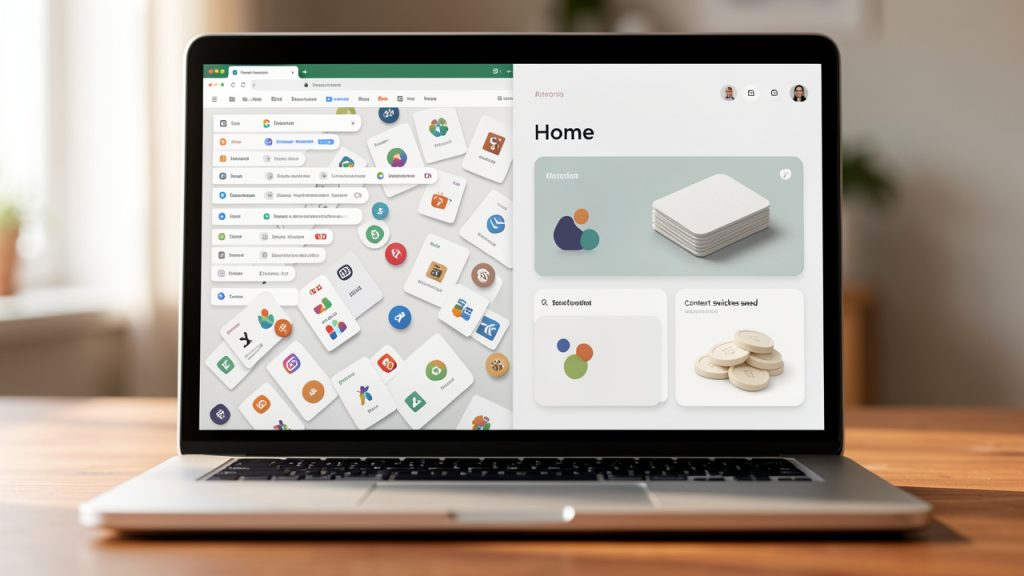
It stands out because it is simple in the right place. Many productivity tools become overhead before they become useful. Home helps reduce that by making recurring destinations, work contexts, and focus modes easier to access. For developers and knowledge workers who live in the browser, it can function as the front door to a broader stack that includes notes, task managers, docs, dashboards, and communication tools.
Key Features
Key features include centralized workspace access, a fast launch point for repeat workflows, suitability for personal dashboards and daily routines, and a low-friction setup compared with heavier systems.
Pros
Home reduces tab hunting and bookmark sprawl, fits browser-first workflows well, and is simple enough to maintain consistently.
Cons
Home is not a full task manager or note platform, and its value depends on intentional configuration.
Website: https://jntzn.com
2. Notion
Notion remains one of the most flexible productivity tools available because it combines documents, databases, internal wikis, lightweight project management, and templates in a single interface. For individuals, it can serve as a second brain. For teams, it can become the operating system for documentation and planning, provided governance is handled carefully.
Its strength is structural flexibility. A user can start with a simple notes page and gradually evolve into linked databases, editorial calendars, sprint boards, meeting records, and SOPs. The downside is that flexibility can become ambiguity. Notion works best when the owner defines clear schemas, naming conventions, and views instead of improvising everything.
Key Features
Notion offers pages, databases with relational properties, templates and shared workspaces, and an API with a broad integration ecosystem.
Pros
Notion is extremely versatile, strong for documentation and knowledge management, and strikes a good balance of usability and depth.
Cons
It can become messy without structure, and offline behavior is not as strong as local-first tools.
Website: https://www.notion.so
3. Todoist
Todoist is one of the best pure task managers for people who want speed, clarity, and low maintenance. It avoids the bloat that turns many project tools into administrative systems. Natural language input, recurring task handling, filters, and multi-platform reliability make it particularly effective for personal productivity and lightweight team coordination.
It ranks highly because execution is where many productivity systems fail. Users often have plenty of capture tools but no trusted task layer. Todoist fills that gap with minimal friction. For developers and busy professionals, the ability to get tasks in quickly and organize them later is a major advantage.
Key Features
Todoist supports natural language due dates, recurring tasks, priority levels, project sections, labels, and filters, across broad cross-platform clients.
Pros
Todoist is fast, intuitive, excellent for individuals, and reliable on mobile and desktop.
Cons
It is not ideal for complex dependency-heavy projects, and advanced team workflow depth is limited.
Website: https://todoist.com
4. Obsidian
Obsidian is a local-first note-taking environment built around Markdown files and linked thinking. It is particularly strong for developers, researchers, writers, and anyone who wants durable ownership of their knowledge base. Unlike cloud-first tools, it keeps the underlying files accessible and portable.
Its value is not just privacy or offline support. It is the combination of local storage, graph-like linking, and extensibility through community plugins. Obsidian rewards users who think in systems. That makes it one of the strongest long-term tools to improve productivity for people who build ideas over time rather than just store documents. Pricing is generous for personal use, with optional paid sync and publishing services.
Website: https://obsidian.md
5. Asana
Asana is one of the strongest platforms for team task and project management when visibility, ownership, and process structure matter. It supports lists, boards, timelines, dependencies, recurring work, and workflow rules, which makes it effective for marketing teams, operations teams, agencies, and cross-functional groups.
The reason it remains highly ranked is that it scales process maturity better than simpler tools. A team can start with task lists and move toward formalized workflows with rules and reporting. The trade-off is complexity. Asana is powerful, but it requires deliberate setup to avoid becoming a system that tracks work more than it enables work.
Website: https://asana.com
6. Zapier
Zapier is the default automation layer for many modern productivity stacks. It connects SaaS tools through triggers and actions, allowing users to eliminate repetitive handoffs such as copying lead data, generating tasks, logging form responses, or sending notifications. For non-developers, it often provides the fastest path to real time savings.
Its strength is breadth. With thousands of supported apps and a straightforward builder, Zapier can turn disconnected tools into a functional system. The trade-off is cost at scale and limited precision compared with custom scripting. Still, for many teams, the ROI is immediate because even one reliable automation can save hours per week.
Website: https://zapier.com
7. Trello
Trello remains one of the clearest Kanban-style tools on the market. It is visual, approachable, and easy to understand in minutes. That makes it especially effective for small teams, content workflows, and users who want visible movement from backlog to done without the cognitive weight of larger project suites.
Its limitation is structural depth. Trello can stretch with Power-Ups and automation, but once dependencies, reporting, or formal process controls become central, teams often outgrow it. For lightweight workflow management, however, it stays very effective.
Website: https://trello.com
8. Slack
Slack is the messaging layer many teams rely on for coordination, alerts, and rapid decision-making. It is not a project manager, but it becomes more useful when integrated with one. Notifications from GitHub, Asana, CI systems, and support tools can be centralized so the team sees work state without constant dashboard checking.
Its strength is ecosystem and speed. Its weakness is that chat can become the place where important decisions disappear. Slack improves productivity when used as a communications bus, not a substitute for documentation or task ownership.
Website: https://slack.com
9. Toggl Track
Toggl Track is one of the best time-tracking tools for users who want visibility without heavy overhead. It works well for freelancers, agencies, consultants, and individuals trying to understand where work time actually goes. That clarity is often a prerequisite for productivity improvement because perceived effort and measured effort rarely match.
It is particularly useful in combination with task systems. Linking tracked time to projects reveals which work produces output and which work quietly consumes the day.
Website: https://toggl.com/track
10. VS Code
VS Code is arguably the default editor for modern developer productivity. Its performance, debugging support, integrated terminal, Git features, and extension ecosystem make it capable of supporting everything from scripting and web development to infrastructure work and documentation.
For developers, productivity is often less about generic time management and more about reducing friction in the build-test-debug loop. VS Code excels there. It also integrates well with broader systems through extensions, tasks, and local automation scripts.
Website: https://code.visualstudio.com
11. Make
Make offers visual workflow automation with stronger branching and data manipulation capabilities than many simpler automation tools. It is well suited to users who want to build multi-step scenarios that transform, filter, and route data across systems.
Compared with Zapier, Make often gives more control over workflow logic. The trade-off is a steeper learning curve. For operations-heavy users, that extra complexity can be worth it.
Website: https://make.com
12. Freedom
Freedom is a focused solution for blocking distracting apps and websites across devices. It does not try to be a full productivity platform. That narrowness is exactly why it works. When the primary problem is fragmented attention rather than poor planning, blocking temptations directly is often more effective than adding another planning layer.
It fits best in stacks where task and note systems already exist but focus still collapses under digital interruption.
Website: https://freedom.to
13. RescueTime
RescueTime is useful for passive measurement of digital behavior. Unlike manual time trackers, it observes application and website activity to show patterns in focus, distraction, and work allocation. That makes it valuable for diagnosing productivity issues before trying to solve them.
Its role is analytical. It helps users answer whether a problem is planning, interruption, or underestimation. That can prevent buying or configuring the wrong tool.
Website: https://www.rescuetime.com
14. Microsoft Teams
Microsoft Teams is strongest in organizations already committed to Microsoft 365. It combines chat, meetings, file collaboration, and organizational controls in a way that is often compelling for regulated environments or companies that need alignment with Microsoft identity, compliance, and document infrastructure.
For smaller teams outside that ecosystem, it can feel heavier than Slack. Inside Microsoft-centric environments, it can be the more efficient choice because it reduces platform switching.
Website: https://www.microsoft.com/microsoft-teams
Implementation Patterns and Ready-Made Stacks
A solo knowledge worker often does best with a compact stack: Home plus Todoist plus Notion or Obsidian, with Toggl Track for measurement and Freedom for focus. Home acts as the launch layer, Todoist handles execution, Notion or Obsidian stores knowledge, Toggl measures effort, and Freedom protects deep work. This setup keeps responsibilities separated and reduces tool overlap.
A small team usually benefits from Asana, Slack, Notion, and Zapier. Asana owns tasks, Slack handles communication, Notion stores durable information, and Zapier moves data between systems. Developers often lean toward VS Code with Trello or Asana, plus Slack and Make or scripts, and Obsidian when documentation and local control matter.
Security, Privacy, and Compliance Considerations
Security should not be treated as an enterprise-only concern. Even individual productivity stacks can expose client notes, internal roadmaps, API tokens, or personal data. At minimum, users should review data export options, admin controls, session management, integration permissions, and whether the tool supports SSO or strong authentication methods.
Local-first tools like Obsidian offer strong data ownership, but they shift backup responsibility to the user. Cloud-first tools simplify syncing and collaboration, but require trust in vendor controls and integration hygiene. The practical approach is to apply least privilege to every integration, rotate tokens where possible, and periodically audit which automations still need access.
Cost Optimization and Licensing Strategies
The right pricing model depends on where the bottleneck lives. Freemium tools work well when the constraint is organization, not automation depth. Paid plans make sense when they unlock features that remove repetitive labor, such as recurring workflows, advanced filters, reporting, or integrations.
A simple break-even model helps. If a paid tool costs $12 per month and saves 20 minutes weekly, the subscription is usually justified for any user whose time is worth more than a few dollars per hour. The trap is paying for overlapping subscriptions that solve the same problem in slightly different ways.
Common Anti-Patterns and Failure Modes
The biggest failure mode is tool proliferation. Teams add a task manager, a docs tool, a whiteboard, a second docs tool, a chat layer, and multiple automation services, then wonder why work becomes harder to find. The issue is not lack of capability. It is lack of role clarity.
Over-automation is another common problem. If an automation creates tasks nobody reviews or floods channels with low-value notifications, it increases noise instead of productivity. Good systems minimize manual work while preserving human judgment at the points where context matters.
Decision Framework: Choosing Tools for Your Context
If the main issue is personal execution, start with Todoist. If the main issue is knowledge sprawl, choose Notion or Obsidian based on whether cloud collaboration or local ownership matters more. If the issue is team coordination, move toward Asana plus Slack or Teams depending on ecosystem fit. If the issue is repetitive manual work, add Zapier or Make only after the source systems are stable.
If the browser is where the day starts and context switching is the recurring tax, Home deserves early consideration because it improves access to everything else. That is especially useful when the problem is not one missing feature, but fragmented entry points across the stack.
Conclusion: Prescriptive Next Steps
The best tools to improve productivity are the ones that remove friction from a clearly defined workflow. Start by identifying the category of pain: execution, focus, coordination, knowledge capture, or automation. Then choose one primary tool for that category before expanding the stack. In most cases, a smaller, well-configured system outperforms a large, loosely governed one.
For the next seven days, audit where tasks live, where notes live, and where time gets lost. Then choose a compact stack. A strong starting point is Home for access, Todoist for tasks, Notion or Obsidian for knowledge, and one focus or automation tool as needed. Once the foundation works consistently, add integrations carefully and measure whether each addition reduces effort or simply adds another place to check.
Leave a Reply