
एक छोटी-सी टाइपो एक फ्रीलांस प्रस्ताव को लापरवाह दिखा सकती है, क्लाइंट ईमेल को जल्दी-भीड़ लग सकता है, या एक लैंडिंग पेज चुपचाप भरोसा खो सकता है। यही कारण है कि इतने लोग ऑनलाइन व्याकरण जाँचक नि:शुल्क समाधान खोजते हैं, न कि वे एकदम सही लेखन चाहते हैं, बल्कि प्रकाशित/भेजने से पहले एक तेज़, भरोसेमंद दूसरी नजर चाहते हैं।
ख़ुशख़बरी यह है कि मुफ्त व्याकरण टूल अब सच में उपयोगी हैं। बुरी ख़बर यह है कि वे सभी एक ही तरह से उपयोगी नहीं हैं। कुछ ईमेल और दैनंदिन बिज़नेस लेखन के लिए बेहतर हैं। कुछ स्टाइल और पठनीयता के लिए मजबूत हैं। अन्य बहुभाषी उपयोगकर्ताओं को असामान्य वाक्य-विन्यास पकड़ने में मदद करते हैं जो बुनियादी स्पेलचेक मिस कर देता है। अगर आप गलत टूल चुन लेते हैं, तो आपको बहुत से शोर-भरे सुझाव मिलेंगे और वास्तविक सुधार कम होगा।
यह गाइड सबसे अच्छे नि:शुल्क ऑनलाइन व्याकरण जाँचकों की तुलना करता है, यह बताता है कि वे कैसे काम करते हैं, और आपके लेखन, गोपनीयता आवश्यकताओं, और वर्कफ्लो के आधार पर उनमें से एक कैसे चुनना है। यह भाग भी कवर करता है जिसे अधिकांश राउंडअप लेख छोड़ देते हैं, अर्थात ये टूल कहाँ फेल होते हैं, कब मुफ्त योजना पर्याप्त है, और हर बदलाव को अंधाधुंध स्वीकार किए बिना उन्हें कैसे इस्तेमाल करें।
What is an Online Grammar Checker and How Does It Work?
An online grammar checker is a web-based or app-based writing assistant that scans your text for grammar, punctuation, spelling, clarity, style, and sometimes tone. At a basic level, it looks for mistakes such as subject-verb disagreement, repeated words, missing commas, and misspellings. More advanced tools also flag wordiness, passive voice, awkward phrasing, and inconsistent tone.
That broad feature set is why free grammar tools have become popular with students, consultants, marketers, developers, and small business owners. They do more than spellcheck. A standard spellchecker might catch teh instead of the. A grammar checker may also suggest changing There is many reasons to There are many reasons, or point out that your should actually be you’re.
Definition and core functions
Most modern checkers focus on five core areas. The first is grammar, which covers sentence structure and agreement. The second is punctuation, such as commas, apostrophes, and capitalization. The third is spelling, including contextual spelling mistakes. The fourth is style, which includes clarity, concision, and readability. The fifth is tone, which tries to estimate whether your writing sounds formal, confident, friendly, or overly blunt.
Tone matters more than many people realize. If you write sales emails, support replies, proposals, or cover letters, grammar is only part of the job. The wording also needs to sound appropriate for the reader. Some AI-assisted tools now try to help with that, although their tone detection is still imperfect.
How modern checkers use rules, statistical models, and AI
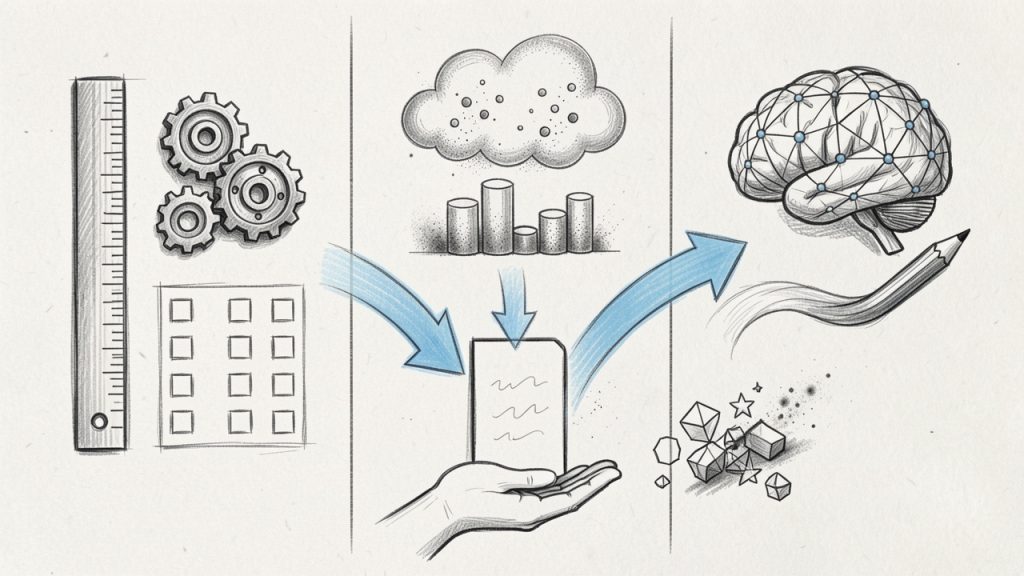
Older grammar checkers relied heavily on rule-based systems, using hand-built language rules such as, “a singular subject usually takes a singular verb.” Rule-based tools are often transparent and good at catching predictable errors, but they can be rigid. Newer tools mix those rules with statistical language models and AI-based writing suggestions. In simple terms, the software does not just ask, “Does this break a grammar rule?” It also asks, “Does this phrase look unusual compared to how fluent writers usually write?” That combination is why modern tools catch more subtle issues than the grammar software of a decade ago.
AI is not infallible. It can overcorrect intentional phrasing, misunderstand industry jargon, and flatten creative voice. A grammar checker is best seen as a smart assistant, not a final editor.
Where they run
Free online grammar checkers now show up in several formats. The most common is the web editor, where you paste text into a browser and review suggestions. Many also offer browser extensions that work inside Gmail, LinkedIn, Google Docs, and other web apps. Some provide desktop apps, mobile keyboards, or integrations for Microsoft Word.
For productivity-minded users, integrations matter almost as much as accuracy. A good checker you never remember to open is less useful than a slightly less powerful one that works wherever you write.
Why Use a Free Online Grammar Checker? Benefits and Typical Use Cases
A free grammar checker saves time in a way manual proofreading rarely can. It scans instantly, flags obvious issues, and helps you clean up first drafts before you spend mental energy polishing. For busy professionals, that speed is often the main benefit.
There is also a consistency advantage. If you write lots of emails, support documentation, proposals, blog posts, or product copy, a grammar checker helps maintain a baseline level of quality. It catches errors you stop seeing because you are too close to the text.
Common benefits
The biggest benefit is simple, fewer avoidable mistakes. That matters whether you are a solo founder emailing leads or a developer writing documentation. Small errors do not always destroy credibility, but repeated errors chip away at it.
Another advantage is that these tools act like a lightweight editorial pass. They can spot duplicate words, long-winded sentences, and clunky transitions. Even when you reject the actual suggestion, the alert itself can help you notice where the sentence needs another look.
Use cases by audience
For students, free tools are helpful for drafts, essays, personal statements, and discussion posts. They can reduce surface-level mistakes, although they should not be trusted as the only check for academic writing.
For professionals and freelancers, free grammar checkers are especially useful for proposals, invoices, outreach emails, reports, and website copy. These are high-frequency writing tasks where speed matters.
For non-native English speakers, grammar checkers can be even more valuable. They often catch article usage, preposition choices, and awkward constructions that basic spellcheck misses. Tools with paraphrasing or rewrite suggestions can also help users sound more natural.
For content creators and marketers, the best tools do more than fix grammar. They improve readability and help adjust tone for a landing page, newsletter, social post, or blog article.
When a free tool is enough
A free grammar checker is usually enough if you mainly need basic grammar, punctuation, spelling, and light clarity improvements. That covers most short business writing, casual professional communication, and first-pass editing.
You may need a premium plan, or human editing, if you require advanced rewrites, plagiarism detection, deep style analysis, team features, or support for sensitive client content. Academic manuscripts, legal writing, investor documents, and brand-critical marketing copy often deserve more than a free automated check.
Top Free Online Grammar Checkers (Side-by-Side Overview)
The tools below are among the most widely used options for anyone searching for an online grammar checker free solution. Each one takes a slightly different approach. Some prioritize all-purpose correction. Others focus on readability, multilingual support, or rewrite assistance.
Quick comparison table
| Tool | Best For | Free Plan Strengths | Main Limitations on Free Tier | Platforms |
|---|---|---|---|---|
| Grammarly | General business writing | Strong grammar, punctuation, browser support | Advanced style, tone rewrites, plagiarism gated | Web, browser, desktop, mobile |
| LanguageTool | Multilingual users, privacy-conscious users | Good grammar checks across multiple languages | Some advanced suggestions limited | Web, browser, desktop, mobile |
| QuillBot Grammar Checker | Quick cleanup and paraphrasing-adjacent workflows | Simple grammar correction, easy interface | Broader writing features split across tools | Web, browser extensions |
| ProWritingAid | Writers who want deeper analysis | Good reports and style guidance | Many advanced reports and usage limits | Web, browser, desktop, Word |
| Hemingway Editor | Readability and clarity | Great for simplifying dense writing | Not a true grammar-first checker | Web, desktop |
| Ginger | ESL users and sentence rewrites | Helpful corrections and rewrite support | Free tier can feel restricted | Web, desktop, mobile |
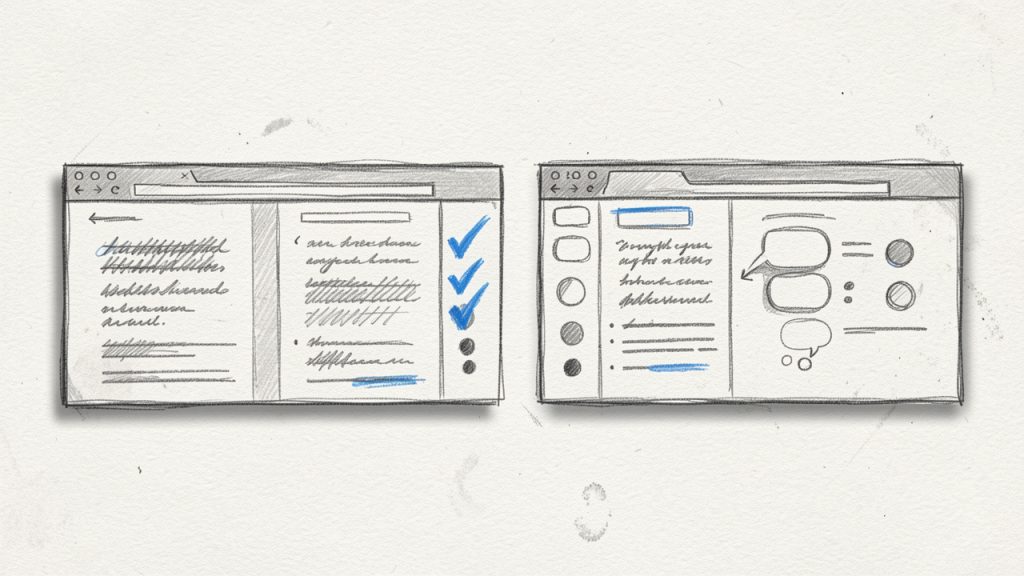
1. Grammarly
Grammarly is still the default recommendation for many users because it balances ease of use, broad platform support, and solid free grammar checking. The free version is particularly good for catching everyday mistakes in emails, documents, and browser-based writing fields. If you live in Gmail, Google Docs, LinkedIn, or Slack, its extension is convenient.
Its biggest strength is accessibility. You do not have to change your writing process much. Grammarly meets you where you already work, then highlights issues in real time. For freelancers, consultants, and small teams, that frictionless experience is often more important than having the deepest editorial analysis.
Key features
Grammarly provides real-time grammar and spelling checks, a browser extension for web writing, and tone and clarity signals in many contexts. It also offers desktop and mobile apps so you can get suggestions across devices.
Pros and cons
Grammarly is very easy to start using, and its free tier covers general mistakes well. Integration across common writing platforms is excellent. On the downside, many advanced suggestions are locked behind premium, the tool can overflag stylistic choices, and privacy-sensitive users may want to review policies carefully.
The free plan is enough for basic correction, while premium features add advanced rewrites, vocabulary suggestions, and plagiarism checking.
Website: https://www.grammarly.com
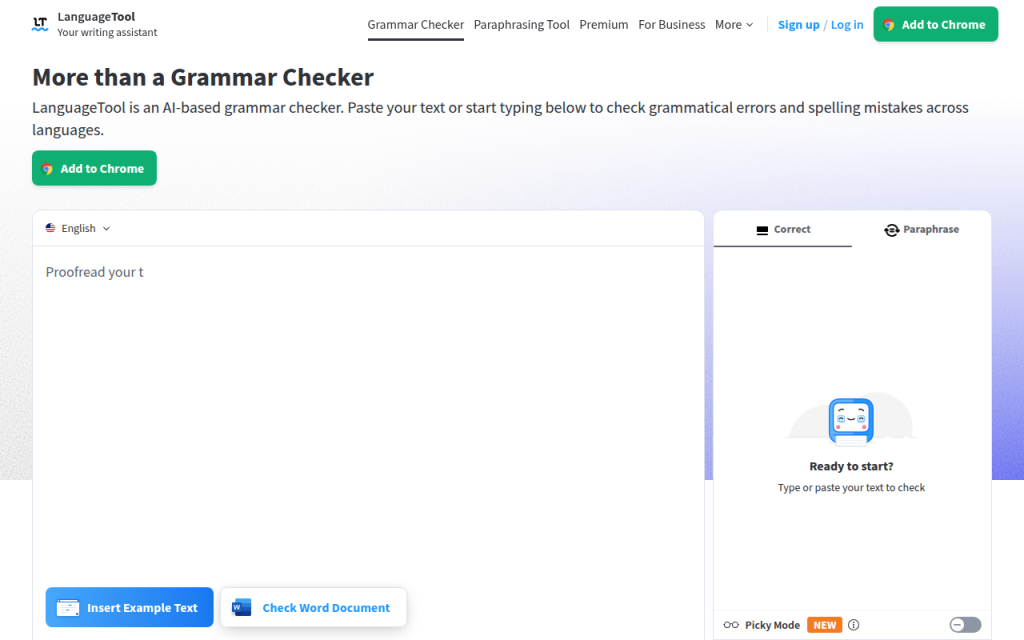
2. LanguageTool
LanguageTool is one of the strongest choices if you want a free grammar checker that supports multiple languages and offers a practical balance between usability and flexibility. It is especially appealing for international users, multilingual teams, and anyone writing in more than English alone.
It does not feel as tightly locked into one ecosystem. It works through a web editor, via extensions, and in several app environments. It also has a reputation for being a practical option for users who care about control and language coverage.
Key features
LanguageTool offers grammar and style checking in many languages, browser extensions and office integrations, a picky mode for stricter checks, and options that appeal to privacy-aware users.
Pros and cons
LanguageTool provides excellent multilingual support and useful style suggestions with flexible setup options. Some advanced recommendations are limited to paid plans, the interface can feel utilitarian compared to rivals, and not every suggestion is equally polished across languages.
Its free version is generous for everyday writing, while paid plans unlock fuller style suggestions and higher usage limits.
Website: https://languagetool.org
3. QuillBot Grammar Checker
QuillBot is known more broadly for paraphrasing, but its grammar checker is a solid free option for users who want a quick browser-based cleanup tool. It is especially useful if your workflow already includes QuillBot’s rewriting or summarizing features.
For students, bloggers, and non-native speakers, QuillBot feels approachable. The interface is simple, and the tool focuses on fast corrections rather than overwhelming you with deep editorial reports. That makes it good for short drafts and quick revisions.
Key features
QuillBot provides fast, approachable grammar corrections with a simple interface and easy access to paraphrasing tools when you want rewrite options.
Pros and cons
QuillBot is quick to use and works well for fast fixes. Advanced writing help is spread across separate tools, and it is less comprehensive than some dedicated grammar-first options. It’s also less ideal for enterprise or workflow-heavy users.
Website: https://quillbot.com
4. ProWritingAid
ProWritingAid is better thought of as a deeper writing analysis platform than a lightweight spellcheck replacement. Its free functionality can help everyday users, but it shines most with longer-form writers who want feedback on style, pacing, readability, repetition, and structure.
For fiction writers, bloggers, and long-form content marketers, this extra depth is valuable. Where some tools simply say “change this,” ProWritingAid helps you understand broader writing patterns. That said, its interface can feel more analytical than casual users need.
Key features
ProWritingAid delivers grammar and style reports, detailed writing analytics, and integrations for Word and browser workflows, making it useful for long-form editing.
Pros and cons
ProWritingAid is excellent for deeper style analysis and reporting, which suits serious writers and editors. It can feel heavy for simple email editing, free usage limits are noticeable, and there is a learning curve compared with simpler tools.
The free plan offers limited access, while premium expands the number of reports, integrations, and document support.
Website: https://prowritingaid.com
5. Hemingway Editor
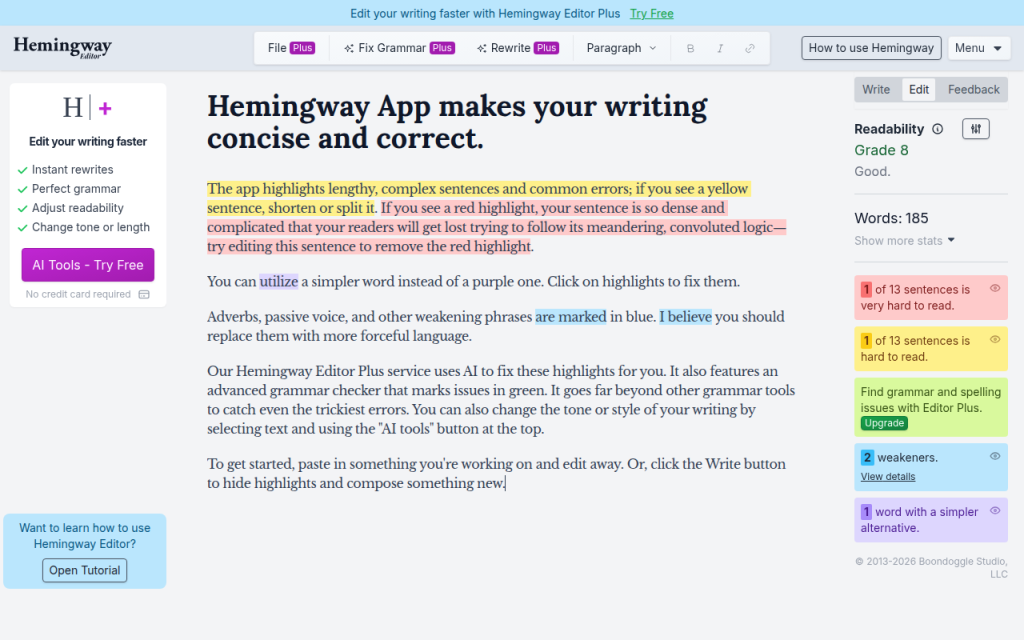
Hemingway is not the strongest pure grammar checker on this list, but it deserves a place because it solves a different problem extremely well, readability. If your writing is technically correct yet still hard to read, Hemingway can be more useful than a grammar-first tool.
It highlights long sentences, dense phrasing, excessive adverbs, and passive voice. For website copy, blog content, sales pages, and internal documentation, that kind of clarity feedback can be more valuable than catching a missing comma.
Key features
Hemingway emphasizes readability by highlighting complex sentences, dense phrasing, and passive constructions, and it provides a distraction-free interface for focused editing.
Pros and cons
Hemingway is excellent for simplifying dense writing and is very useful for readability-focused editing. It is not a comprehensive grammar checker, can push writing toward oversimplification, and is less helpful for nuanced correctness issues.
There is a free web version, with desktop options available separately.
Website: https://hemingwayapp.com
6. Ginger
Ginger has long focused on helping users improve sentence construction, making it particularly useful for ESL learners and business users who want rewrite-style support. It combines grammar correction with phrasing assistance in a way that feels practical for everyday communication.
Its interface and brand may not feel as dominant as Grammarly’s, but it still earns attention for users who care about sentence-level fixes and alternative wording. It can be a useful secondary tool when a first checker catches errors but does not help enough with flow.
Key features
Ginger provides grammar correction alongside sentence rephrasing, with desktop and mobile support for users who want alternative wording suggestions.
Pros and cons
Ginger is helpful for non-native English speakers and offers useful rewrite-style support. Free tier limitations are noticeable, it is less widely integrated than top rivals, and the interface is less streamlined than some newer tools.
Ginger uses a freemium model, with more robust writing assistance available in paid plans.
Website: https://www.gingersoftware.com
How to Choose the Right Free Grammar Checker for Your Needs
The best free grammar checker is not necessarily the one with the most features. It is the one that fits your writing habits, tolerance for noise, and privacy requirements. If you write short emails all day, you want speed and browser integration. If you write long articles, you may care more about readability and style analysis.
Accuracy also depends on what you write. A tool that performs well on general business English may struggle with legal language, technical documentation, creative dialogue, or industry shorthand. The right question is not “Which tool is best?” but “Best for what kind of writing?”
Decision factors that matter
Start with accuracy for your use case by pasting in a real sample, not a polished paragraph from a homepage. Check privacy, especially if you handle client data, contracts, medical information, or internal business content. Then evaluate language support, integrations, interface quality, and the likely cost to upgrade if the free plan feels too limiting.
A browser extension is a huge advantage for many users, but not for everyone. Some people prefer a clean web editor because they do not want suggestions popping up in every text field online. Others want offline or desktop support because they write in Word or work with sensitive documents.
Quick decision checklist
If you want the shortest path to a good choice, use this simple filter: for general business convenience, start with Grammarly. For multilingual or privacy-aware needs, try LanguageTool. Students who want quick web-based edits will find QuillBot approachable. Long-form writers and editors benefit from ProWritingAid. Marketers focused on readability should use Hemingway. ESL users needing sentence help may prefer Ginger.
Red flags to watch for
A free tool stops being helpful if the privacy policy is vague, upload limits are too restrictive, or the interface buries basic suggestions behind constant upgrade prompts. Also be cautious if a tool offers very little detail on how it handles stored text, shared data, or AI training. Poor context awareness is another red flag; if a tool keeps flagging correct industry terms or pushing obviously wrong changes, it may create more editing work than it saves.
Step-by-Step: Using a Free Online Grammar Checker Effectively
Most people get mediocre results from grammar tools because they use them too late or trust them too much. The best workflow is not “paste text, accept all, done.” It is a short editing sequence where the tool helps you think more clearly.
Preparing your text and context
Before checking grammar, decide who the writing is for and how formal it should sound. A sales email, support response, investor update, and blog post all need different wording. If the tool allows tone or audience context, use it. Even a rough context cue improves suggestions.
Next, clean up obvious issues yourself. Remove duplicate fragments, unfinished sentences, and placeholder notes. Grammar tools work better when the draft is complete enough to show your intended meaning.
Best practices for accepting or rejecting suggestions
Treat every suggestion like a junior editor, not a law. Ask two questions: Is the suggestion technically correct, and does it improve the sentence for this audience? Sometimes the answer to the first is yes and the second is no. For example, a tool might suggest simplifying a sentence that is deliberately formal because you are writing a proposal or legal notice. In that case, precision may matter more than simplification, so reject the change.
How to combine tools for better results
A strong workflow often combines one grammar checker with one readability tool and a final human pass. You might use Grammarly or LanguageTool for correctness, then Hemingway for clarity, then do a final manual read for tone and nuance. If you publish professionally, especially in academic, legal, or brand-sensitive contexts, consider grammar software as the first screen, not the final authority.
Privacy, Security, and Data Concerns with Free Grammar Tools
Privacy is one of the most overlooked parts of choosing an online grammar checker free tool. Many people paste client emails, contracts, internal strategy documents, resumes, or product roadmaps into these platforms without thinking about where that text goes.
Because these tools often process writing in the cloud, your text may be transmitted to remote servers for analysis. That does not automatically make a tool unsafe, but it means you need to read the privacy terms more carefully than most roundup posts suggest.
What to check in a privacy policy
Look for plain answers to these questions: How long is text retained? Is content used to improve models or services? Is data shared with subprocessors or third parties? Can you delete stored content? Are there different terms for free users versus business users? If the language is overly vague, that is worth noticing. A privacy policy should tell you enough to understand the risk level, not force you to guess.
Safer options for sensitive content
If you work with sensitive information, the safest options are typically local editing tools, on-device solutions, or paid business plans with stronger contractual protections. In some cases, open-source or self-hosted language tools can make sense for technical teams.
For many solo users, a practical middle ground is to avoid pasting highly sensitive text into web editors and instead use desktop integrations or anonymized drafts wherever possible.
Practical tips to reduce risk
If you need a grammar check on sensitive material, remove names, account numbers, pricing details, internal code names, and confidential identifiers first. Replace them with placeholders, run the check, then restore the original details locally. That extra minute is often worth it. Good writing is valuable, but not at the cost of exposing information that should stay private.
Limitations and Common Mistakes of Free Grammar Checkers
Free grammar tools are useful, but they have blind spots. They are strongest on surface-level correctness and weakest on context, nuance, voice, and specialized language. This matters because the closer your writing gets to persuasion, creativity, or technical precision, the more costly a bad suggestion can be.
They also struggle with intentional rule-breaking. Creative writing often uses fragments, repetition, or unusual punctuation for effect. Marketing copy sometimes does the same. A tool may flag those choices as errors even when they are doing their job.
Typical false positives and false negatives
A false positive is when the tool flags something that is not actually wrong. For example, in the sentence “Let’s move fast. Really fast.” a checker may dislike the fragment. But in marketing copy, that fragment may be intentional and effective.
A false negative is when the tool misses a real problem. For example, “We help startups scale securely, quickly, and without increasing operational complexity for teams that are already overloaded” may be grammatically acceptable, but still too dense for easy reading. Some grammar tools will let that pass.
Jargon can also confuse checkers. A developer writing “containerized microservices” or a finance professional writing “EBITDA adjustments” may trigger irrelevant suggestions, especially in tools trained mostly on general-purpose prose.
When to get human editing
If the stakes are high, human review still matters. That includes investor decks, legal terms, grant applications, academic submissions, thought leadership articles, and major website copy. A human editor can understand subtext, persuasion, and audience expectations in ways a free grammar checker cannot. Use software to catch what is obvious, then apply judgment or a human pass to refine what matters.
Advanced Tips: Getting Better Results From Any Grammar Tool
You can improve almost any grammar checker by giving it better input and using it in the right sequence. This matters even more now that many tools mix rules with AI suggestions.
How to give AI-based tools better context
If the tool allows custom instructions or rewrite context, be specific. Tell it the audience, desired tone, reading level, and purpose. For example, “Rewrite for a busy B2B client, concise, confident, and polite” will usually produce better results than asking for a generic improvement. Context helps the model choose between technically valid but stylistically different options.
Combining rule-based and AI suggestions
A useful pattern is to trust rule-based corrections more for punctuation, agreement, and spelling, while treating AI-style rewrites as optional ideas. Rules are often reliable for mechanics. AI can be great for clarity, but it is also more likely to distort your meaning. This separation keeps you from accepting a polished-sounding sentence that is less accurate than the original.
Build a personal editing checklist
The most effective writers do not rely only on tools. Create a short style checklist for recurring issues, such as sentence length, jargon, headline tone, Oxford comma preference, contractions, or preferred product names. Once you know your patterns, grammar tools become more useful because you are not asking them to define good writing for you. You are using them to support standards you already understand.
Frequently Asked Questions
Are free grammar checkers reliable enough for academic work?
They are reliable enough for basic proofreading, but not for final academic review. They can catch surface-level issues, yet they may mishandle discipline-specific wording or make style suggestions that do not fit academic conventions. For important submissions, combine a grammar tool with manual review and, if possible, a human editor or supervisor.
Do grammar checkers store or use my writing to train models?
Sometimes, depending on the tool and plan. Policies differ. Some services retain text temporarily for processing, some may use data for service improvement under certain terms, and some business tiers offer stronger protections. Always review the current privacy policy before uploading sensitive content.
Can they detect plagiarism?
Some can, but plagiarism detection is usually not fully included in free plans. Even when available, it is often part of a premium feature set or a separate product. If plagiarism screening matters for academic or publishing reasons, confirm exactly what the free tier includes before relying on it.
Conclusion, Quick Recommendations and Next Steps
If you want the safest all-around starting point, begin with Grammarly for general writing convenience or LanguageTool if you need multilingual support or want a strong alternative. Choose Hemingway if readability is your primary goal, ProWritingAid if you write long-form content, and QuillBot or Ginger if you want quick sentence help and easy web-based editing.
The best next step is practical. Take one real piece of writing, such as an email, proposal, blog intro, or support reply, and test it in two tools from this list. Compare not just how many errors they find, but whether the suggestions actually improve the message. That small test will tell you more than any feature page.
For further improvement, keep a trusted style reference nearby, such as the AP Stylebook, Chicago Manual of Style, or your own internal brand guide. A free online grammar checker is excellent for catching mistakes. Your judgment is what turns clean writing into effective writing.
प्रातिक्रिया दे