JNTZN

Tag: image to pdf

  • Convert JPG to PDF Online Quickly and Securely

    A simple image file can slow down an entire workflow. You scan a receipt, export a design mockup, or snap a document photo on your phone, and suddenly you need it in a format that is easier to share, print, archive, or submit. That is where the need to convert JPG to PDF online becomes practical, not just convenient.

    For small business owners, freelancers, developers, and anyone who values speed, online conversion tools solve a very common problem in seconds. You do not need heavy desktop software, advanced design skills, or complicated setup. You upload a JPG, adjust a few options if needed, and download a PDF that is easier to send to clients, attach to forms, or store in a more professional format.

    The appeal goes beyond simplicity. A PDF looks consistent across devices, feels more polished in business settings, and can combine multiple images into a single file. If you often work with invoices, contracts, portfolios, screenshots, reports, or photographed paperwork, learning how to convert JPG to PDF online can save time and reduce friction in your daily process.

    What is convert JPG to PDF online?

    At its core, convert JPG to PDF online means using a web-based tool to transform one or more JPG image files into a PDF document directly in your browser. Instead of installing software on your computer, you use an online service that processes the image and packages it into a PDF file you can download immediately.

    This matters because JPG and PDF serve different purposes. A JPG is an image format. It is excellent for photos and visual content, but it is not always ideal for document workflows. A PDF, by contrast, is designed for sharing fixed-layout files. It preserves the look of the content, works well for printing, and is widely accepted for business, legal, and administrative use.

    In practical terms, converting a JPG to a PDF is often less about changing the visual itself and more about changing the container. The image remains visible, but it becomes part of a more structured, shareable document type. That distinction is important if you need to send paperwork, combine multiple scans, or present content in a more formal format.

    Online conversion is especially useful for people who work across multiple devices. You might snap a photo on your phone, upload it from a tablet, or convert files from a laptop without worrying about operating system compatibility. For busy users, that flexibility is a major advantage.

    Key aspects of convert JPG to PDF online

    Why people prefer PDF over JPG in real workflows

    A JPG is easy to create, but a PDF is often easier to use in professional settings. If you send a client a single image, it may open differently depending on the device or app. A PDF is more predictable. It feels like a finished document, not just a loose file.

    That difference matters when presentation affects credibility. A freelancer sending design proofs, a consultant submitting expense receipts, or a small business owner forwarding scanned forms all benefit from a format that looks organized and intentional. Even when the content starts as a photo, the PDF gives it a clearer business context.

    PDF files also make multi-page organization easier. If you have five JPG scans of a contract or ten product photos for a catalog draft, combining them into one PDF is far cleaner than sending a folder full of images. It reduces clutter and improves the recipient’s experience.

    The main benefits of using an online JPG to PDF converter

    The biggest benefit is speed. Most online tools are built for immediate use. You drag files into a browser window, choose the order if you have multiple images, and download the converted PDF within moments. For occasional tasks, this is much more efficient than installing dedicated software.

    Another benefit is accessibility. You can usually convert JPG to PDF online for free or at least complete basic tasks without cost. That is valuable for solo professionals and small teams that want utility without another subscription.

    There is also a lower learning curve. Good online converters are intentionally simple. They focus on one job and remove the complexity found in advanced document software. For users who just want the file converted and sent, that simplicity is a feature, not a limitation.

    File quality and formatting considerations

    Not all conversions produce the same result. The visual quality of the final PDF depends heavily on the original JPG. If the image is blurry, poorly lit, or heavily compressed, converting it to PDF will not improve it. The PDF may be easier to share, but it will still reflect the quality of the source image.

    Layout settings also matter. Some tools let you adjust page size, orientation, margins, and image scaling. These options become important when converting receipts, scanned letters, photographs, or presentation visuals. A receipt might need a compact page, while a portfolio image may look better centered on a full page with clean margins.

    File size is another trade-off. A high-quality JPG converted into a PDF can remain relatively large, especially if you combine multiple images. That can be useful when detail matters, such as in scanned contracts or design references. But if you need to email the file or upload it to a platform with size limits, compression features become useful.

    Privacy and security matter more than most users expect

    When you convert JPG to PDF online, you are often uploading files to a third-party server. That is convenient, but it introduces a privacy consideration. If your file includes invoices, IDs, legal pages, financial records, medical forms, or confidential business information, you need to be selective about the tool you use.

    A trustworthy online converter should clearly explain how files are handled, whether uploads are encrypted, and when files are deleted from its servers. If those details are missing, vague, or difficult to find, that is a warning sign. Convenience should not come at the cost of exposing sensitive data.

    For routine, non-sensitive images, this may not be a major concern. But for business use, privacy policies are part of the decision. The right mindset is simple, if you would hesitate to email the image to a stranger, do not upload it to an unknown converter without checking its handling practices first.

    Single image conversion versus combining multiple JPGs

    One of the most useful features in online converters is the ability to merge several JPG files into one PDF. This is especially valuable when working with scanned paperwork, receipts, signed pages, product images, or visual records from a site visit.

    A single-image conversion is straightforward. The JPG becomes one page in a PDF. Multi-image conversion, however, adds another layer of usefulness because it allows you to create a document that tells a sequence or contains a full set of materials. Think of it like turning a stack of loose photos into a stapled report.

    The order of pages matters here. A good converter lets you rearrange uploaded images before processing them. That small feature has a big effect on usability, especially when documents need to be reviewed in a specific sequence.

    Free tools versus advanced features

    Many people start by searching for a free JPG to PDF converter online, and that makes sense. Basic conversion is widely available without payment. For everyday needs, such as creating a PDF from a screenshot or scanned receipt, free tools are often enough.

    Paid or premium versions usually enter the picture when users need more control. That can include stronger compression, OCR support, batch processing, cloud integration, watermark removal, password protection, or higher upload limits. These are meaningful upgrades for teams and frequent users, but not always necessary for occasional tasks.

    The best choice depends on volume and context. If you convert a file once a month, free and simple is probably ideal. If you process client documents every day, reliability, privacy controls, and workflow features become more important than saving a few dollars.

    Consideration Basic Free Online Converter More Advanced Online PDF Tool
    Cost Usually free for simple tasks Often subscription-based or limited free tier
    Ease of use Very simple interface More features, slightly more setup
    Multi-file support Common, but sometimes limited Usually stronger batch handling
    Privacy features Varies significantly Often more transparent and robust
    Compression options Basic or automatic More control over output size and quality
    Best for Occasional personal or light business use Frequent professional workflows

    How to get started with convert JPG to PDF online

    Choose the right kind of tool for your use case

    Before you upload anything, think about what you actually need the PDF to do. If your goal is simply to turn one image into a downloadable PDF, nearly any reputable online converter will handle it. If you need to combine several JPGs, reduce file size, preserve print quality, or protect sensitive documents, the bar is higher.

    This step saves time because it keeps you from choosing a tool based only on search ranking or flashy design. The best converter for a one-page receipt is not necessarily the best one for client proposals, internal records, or legal paperwork. Matching the tool to the job is the simplest way to avoid frustration.

    A good starting checklist is short:

    1. Check privacy policy if the JPG contains sensitive information.
    2. Confirm multi-file support if you need more than one image in the PDF.
    3. Look for layout options if page size or orientation matters.
    4. Review file limits before uploading large images or batches.

    Prepare your JPG files before conversion

    A smoother conversion starts with cleaner source files. If the JPG is a photo of a document, crop out the background and straighten the image first. That small effort can dramatically improve how professional the final PDF looks. It also helps avoid oversized pages with too much empty space.

    If you are combining multiple files, rename them in the order you want them to appear. This makes uploads easier to manage and reduces mistakes when assembling the final document. For example, invoices, scanned pages, or portfolio images become much easier to organize when the filenames already follow a sequence.

    Resolution deserves some attention too. Extremely low-resolution JPGs can make the PDF look amateurish, while unnecessarily large files may slow uploads and create oversized PDFs. The ideal source image is clear, readable, and appropriately sized for its purpose.

    The basic process is usually very simple

    Most online workflows follow the same pattern. You upload your JPG files, adjust optional settings, start the conversion, and download the PDF. The simplicity is one reason these tools remain so popular.

    Here is the typical sequence:

    1. Upload your JPG file or files into the online converter.
    2. Arrange the images in the correct order if creating a multi-page PDF.
    3. Select settings such as page size, orientation, margins, or compression if available.
    4. Convert and download the final PDF to your device.

    The process itself takes only a minute or two. The real difference between tools is not whether they can convert the file, but how well they handle layout, quality, speed, and privacy.

    Common mistakes to avoid

    One common mistake is assuming conversion will improve a poor image. It will not. If the original JPG is blurry, dark, crooked, or cut off, the PDF will carry those same flaws. Start with the best possible image if readability matters.

    Another issue is ignoring the final file size. A PDF made from several large JPGs can become too big for email attachments or platform uploads. If that matters, choose a converter with compression settings or optimize the images before uploading.

    Users also often overlook page formatting. A portrait-oriented document image placed badly on a landscape page can look awkward and waste space. If the tool allows layout control, use it. Those details make the difference between a file that merely works and one that looks polished.

    When online conversion is the right choice, and when it is not

    For most everyday tasks, online conversion is ideal. It is fast, browser-based, and available anywhere. If you need a quick PDF from a JPG without installing software, this is often the best route.

    Still, there are situations where online tools are not the best fit. If you handle confidential legal records, internal company documents, medical files, or highly sensitive financial data, a trusted offline solution may be safer. The same is true if your internet connection is unreliable or you need to process large batches regularly.

    That does not make online tools less useful. It simply means the smart choice depends on the context. Convenience is powerful, but so is control. The goal is not to use online tools for everything, but to use them where they make the most sense.

    Conclusion

    To convert JPG to PDF online is to solve a small but constant digital workflow problem with speed and simplicity. It helps turn loose image files into structured documents that are easier to share, print, archive, and present professionally. For business users and productivity-minded professionals, that small shift in format often creates a real improvement in day-to-day efficiency.

    The next step is straightforward. Choose a reputable tool, start with a clear JPG, pay attention to privacy if the file is sensitive, and use layout options when presentation matters. Once you build this into your workflow, converting a JPG into a polished PDF becomes less of a task and more of a quick habit.
  • Convert JPG to PDF Online Free: Fast, Secure & Easy

    Convert JPG to PDF Online Free: Fast, Secure & Easy

    A folder full of JPG files looks manageable until it needs to become one shareable document. That is the point where people start searching for how to convert jpg to pdf online free, usually with urgency. It may be a scanned contract, handwritten notes, product images, receipts, or a set of screenshots that need to be sent in a clean format.

    The appeal is obvious. PDF is portable, predictable, and accepted almost everywhere. JPG is easy to capture, but awkward to organize when multiple images need to be bundled into a single file. A free online JPG to PDF converter closes that gap quickly, often without requiring software installation, account creation, or technical setup.

    For developers, operations teams, students, and everyday users alike, the value is not just convenience, it is workflow compression. A task that once required desktop tools can now be completed in a browser in minutes, sometimes in seconds, with drag-and-drop simplicity and acceptable output quality.

    What is convert jpg to pdf online free?

    The phrase convert jpg to pdf online free refers to using a web-based tool that transforms one or more JPG image files into a PDF document without charging a fee. In practical terms, the user uploads image files, the service processes them on a remote server or in the browser, and then returns a downloadable PDF.

    This solves a common format mismatch. JPG is an image format optimized for photographs and compressed visuals. PDF is a document container designed to preserve layout, improve portability, and simplify sharing across devices and operating systems. When the objective is to send a document rather than a loose set of images, PDF becomes the more functional format.

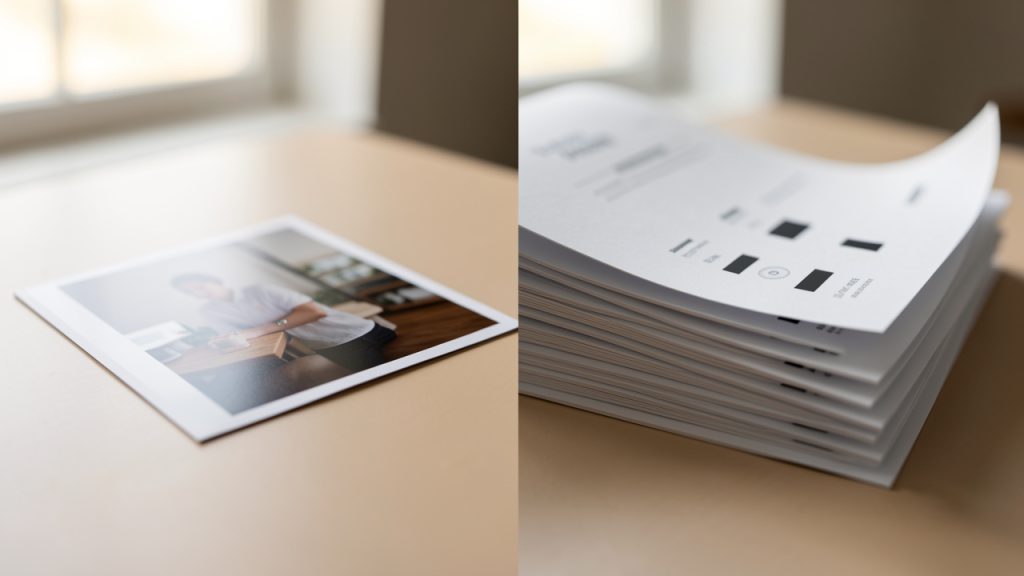
    There is also an important structural distinction. A JPG file contains a single image object. A PDF can contain multiple pages, embedded images, metadata, and layout instructions. That means several JPGs can be merged into a single ordered document, which is especially useful for forms, invoices, scanned pages, design proofs, and report attachments.

    A side-by-side comparison diagram: left side labeled 'JPG' showing a single raster image thumbnail; right side labeled 'PDF' showing a stack of pages with small image thumbnails on each page plus icons for metadata and layout (e.g., text lines, page numbers).

    Online conversion tools reduce friction because they remove installation and configuration requirements. Instead of opening a desktop editor, exporting files, and manually assembling pages, the process happens in the browser. For users who need speed and minimal setup, this is often the decisive advantage.

    Key Aspects of convert jpg to pdf online free

    Why people convert JPG to PDF in the first place

    The most common reason is document control. A batch of images can feel fragmented. A PDF creates a single, coherent artifact that is easier to upload to portals, email to clients, archive in cloud storage, or attach to support tickets.

    Compatibility is another driver. Many institutions, job portals, finance platforms, and government websites prefer or require PDF uploads. Even if the original content starts as phone photos or exported screenshots, converting those JPGs into PDF is often necessary just to complete the submission.

    There is also a presentation benefit. PDF looks intentional and suggests finality and structure. A set of JPGs may be interpreted as raw source material, while a PDF reads as a finished document. That distinction matters in business communication, internal reviews, and client-facing workflows.

    The main benefits of using an online free converter

    Accessibility is the strongest benefit. A free online JPG to PDF converter can usually be used from Windows, macOS, Linux, Android, and iPhone devices with nothing more than a browser and internet connection. This makes it practical for distributed teams and users working across multiple devices.

    Speed is the next factor. For small to medium conversion jobs, browser-based tools are often faster than installing software. Upload, reorder, convert, download: the interaction model is optimized for quick output.

    Cost matters too. Not every use case justifies a paid PDF suite. If the requirement is straightforward, such as combining five JPG receipts into one PDF, a free solution is often sufficient. For occasional users, this is efficient. For teams, it can reduce unnecessary software sprawl.

    What to evaluate before using a free online tool

    Not all converters are equal. Privacy should be the first checkpoint. If the JPG files contain IDs, contracts, medical information, financial records, or internal screenshots, the handling policy matters. Some services process files on remote servers and delete them after a short period. Others may be less explicit. Users should look for clear statements on retention, encryption, and deletion.

    Output control is another consideration. Basic tools may only convert in default settings, while better platforms allow page reordering, margin settings, orientation selection, page size adjustment, and compression control. These options affect whether the final PDF is usable for print, archive, or formal submission.

    File size behavior is the third factor. JPG images can be heavily compressed already, but combining many large images into one PDF can still produce a bulky file. A good converter balances image fidelity with reasonable PDF size. If a portal has strict upload limits, this becomes critical.

    Common limitations users should expect

    Free services often have boundaries, such as file count caps, maximum upload size, reduced speed during high traffic, or limitations on advanced editing features. That does not make them ineffective, but it does define the appropriate use case.

    Image handling can be inconsistent. Some converters preserve original dimensions well, while others aggressively scale or center images with wide margins. If visual accuracy matters, for example in design proofs or scanned records, test output quality before relying on a tool repeatedly.

    Ordering is another common issue. Multi-image PDF creation depends on correct sequence. If the upload interface is not explicit, pages may appear in alphabetical order, upload order, or an arbitrary drag-and-drop arrangement. That matters when converting documents with multiple pages.

    Online conversion versus desktop conversion

    The choice between online and desktop tools depends on context. Online conversion is ideal for speed, occasional use, and low-friction access. Desktop conversion is often better for sensitive documents, bulk processing, and advanced layout or OCR workflows.

    The trade-off can be summarized clearly:

    Criteria Online Free JPG to PDF Tools Desktop PDF Software
    Setup No installation required Installation required
    Speed for quick jobs Very fast Moderate
    Privacy control Depends on provider Usually higher
    Advanced features Often limited Usually extensive
    Cost Often free Frequently paid
    Best use case Occasional conversions Frequent or sensitive workflows

    For most users searching convert jpg to pdf online free, the immediate need is transactional rather than strategic. They want a reliable result now. That is where online tools perform best.

    How to Get Started with convert jpg to pdf online free

    A practical workflow that avoids common mistakes

    A clean result begins before upload. The source JPG files should be reviewed for orientation, clarity, and naming. If the images come from a phone camera, rotate them correctly first. If they represent multiple pages of a document, rename them in sequence so the intended order is obvious.

    Image quality also deserves attention. A blurry JPG does not become sharper inside a PDF. Conversion changes the container, not the source fidelity. If the original image is poorly lit, cropped badly, or captured at an angle, the output PDF will preserve those problems.

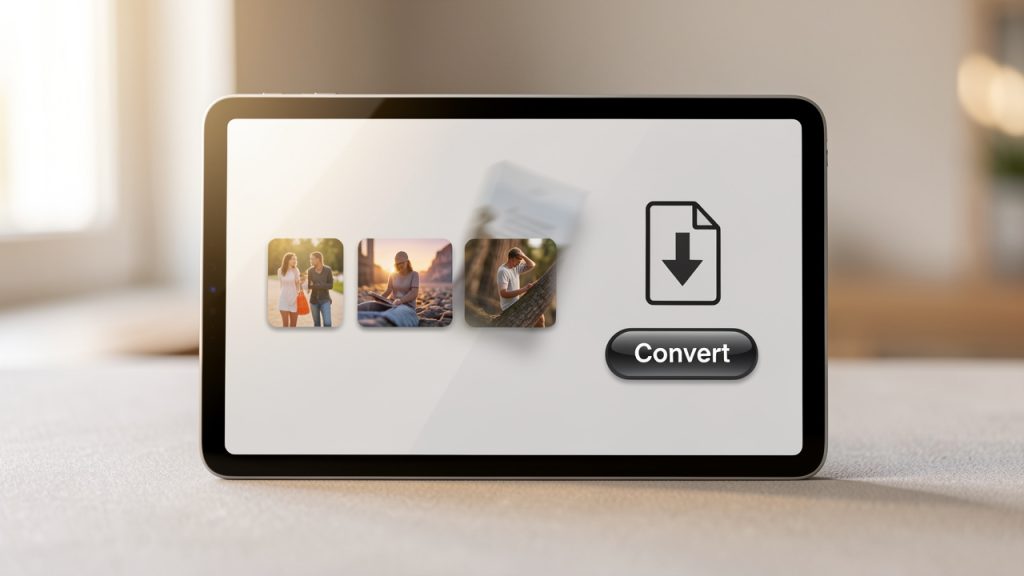
    A simple web UI mockup showing multiple JPG thumbnails being dragged into order, a prominent 'Convert' button, and a single PDF file icon with a download arrow. Include small labels: 'Upload', 'Reorder', 'Convert', 'Download'.

    For routine conversions, the workflow is usually simple. Upload the JPG files to a trusted online converter, arrange the images in the correct page order, adjust settings such as page size, margin, and orientation if available, convert and download the final PDF, and verify the output before sending or uploading it elsewhere.

    That last step matters more than users think. Open the PDF and inspect each page. Check readability, sequence, cropping, and file size. A 20-second review can prevent a failed submission or an embarrassing resend.

    Choosing the right settings for better output

    Page size affects readability and appearance. If the converter offers standard sizes like A4 or Letter, choose the one aligned with the destination context. Business and administrative use often expects one of those. If the images are photos rather than scanned pages, a fit-to-image layout may look better.

    Margins influence how polished the document feels. Zero-margin output can maximize image area, but modest spacing often improves readability and print behavior. For scanned paperwork, centered pages with consistent margins usually look more professional.

    Orientation should follow content, not convenience. Portrait is best for documents, forms, and notes. Landscape suits slides, dashboards, and wide screenshots. If the converter supports per-page orientation poorly, it may be worth rotating the JPGs before upload.

    Privacy and security considerations

    When using any service to convert jpg to pdf online free, assume the files are leaving the local device unless the tool explicitly states browser-only processing. That does not mean online conversion is unsafe, it means the user should apply judgment proportional to the data sensitivity.

    A public menu photo or generic presentation slide carries minimal risk. A passport scan, internal architecture diagram, legal agreement, or medical record is different. In those cases, a more controlled solution is appropriate. For teams, security is not only about encryption, it also includes retention policy, access logs, permission boundaries, and confidence in where files are processed.

    When free online tools are enough, and when they are not

    A free tool is enough when the use case is simple, low-risk, and occasional. A few receipts, a school assignment, a short image bundle for email, these are well within the strengths of browser-based converters.

    The threshold changes when the process becomes repetitive or business-critical. If a user converts dozens of image sets weekly, needs consistent page sizing, or must protect sensitive input, then the free tool model starts to show strain. At that point, efficiency is not just about zero cost, it is about minimizing rework and reducing uncertainty.

    Developers and technical users often evaluate tools through this lens. The question is not merely, “Can it convert?” The better question is, “Can it convert reliably, predictably, and with acceptable handling of sensitive data?” That distinction separates a convenient utility from a robust workflow component.

    Typical use cases across different audiences

    Students often need to turn photographed notes or assignment pages into a single PDF for submission systems. Freelancers convert JPGs into PDF for invoices, signed agreements, and portfolio pages. Support teams may bundle screenshots into one document for escalation records. Operations staff frequently combine scanned forms for archive or compliance workflows.

    Developers encounter this need as well, even if indirectly. Product documentation, bug reporting, UI review packs, and screenshot-based QA artifacts often benefit from PDF packaging. While the actual conversion may be non-technical, the underlying concern is familiar: reduce manual overhead and standardize output.

    That is why the search term convert jpg to pdf online free remains consistently relevant. It addresses a simple requirement, but one that sits at the intersection of usability, compatibility, and time efficiency.

    Conclusion

    To convert jpg to pdf online free is to solve a very practical format problem with minimal friction. JPG files are easy to create, but PDF files are easier to package, share, upload, and archive. Online tools make that transition fast, especially for low-volume and low-risk tasks.

    The best results come from using a trusted service, preparing source images carefully, checking page order, and reviewing the final PDF before distribution. For casual use, a free online converter is often all that is needed. For recurring or sensitive workflows, a more structured solution can provide a better long-term path.

    The next step is straightforward. Gather the JPG files, choose a reputable converter, test the output on a small batch, and confirm that the PDF meets your quality and privacy requirements. That single habit turns a quick fix into a reliable process.