

A free password generator online can either reduce account risk dramatically or create a false sense of security. The difference is not the button that says Generate. It is the implementation, the randomness source, the browser execution model, and what happens to the password after it is created.
Most online generators explain only the surface layer: choose a length, toggle symbols, copy the result. That is useful, but incomplete. Developers, security-conscious users, and teams need a more rigorous framework. They need to know whether the tool uses a CSPRNG, whether generation happens client-side or on a remote server, whether the page loads third-party scripts, and how much entropy the final password actually contains.
This guide covers both dimensions. First, it explains how online password generators work, how to evaluate their security properties, and how to use them safely. Then it ranks leading tools, including integrated password-manager options and simpler web utilities, so readers can choose the right generator for personal accounts, team workflows, or developer testing.
What a Free Password Generator Online Actually Is
Overview, definition and purpose
A free password generator online is a web-based utility that creates passwords or passphrases based on selectable constraints such as length, character classes, excluded symbols, and readability rules. In stronger implementations, the generator runs entirely in the browser and uses a CSPRNG such as window.crypto.getRandomValues() to produce unpredictable output. In weaker implementations, generation may rely on ordinary pseudo-random logic, server-side generation, or opaque scripts that offer little transparency.
Its purpose is straightforward, replace human-chosen passwords, which are typically short, patterned, and reused, with machine-generated secrets that are harder to guess, brute-force, or predict. A good generator acts as an entropy tool, expanding the search space beyond what a human would invent manually.
Use cases and audience
For individual users, an online password generator is useful when creating unique credentials for banking, email, shopping, streaming, and social accounts. The ideal workflow is not simply generating a password, but generating it and storing it immediately in a password manager so it never needs to be memorized or reused elsewhere.
For teams and developers, a generator can create service account credentials, bootstrap admin passwords, test fixtures, temporary secrets for development environments, or passphrases for controlled internal systems. There is an important distinction between human account passwords and machine-to-machine secrets. For production tokens, API keys, and long-lived cryptographic material, specialized secret-management systems are generally preferable.
Generated passwords are strongly recommended when the threat model includes credential stuffing, online guessing, password spraying, or database leaks. They are less suitable when a secret must be reproducible from memory without a password manager, in which case a high-entropy passphrase may be a better design.
How Online Password Generators Work, Mechanics and Algorithms
Randomness sources, PRNG vs CSPRNG

The critical implementation detail is the randomness source. A normal PRNG, pseudo-random number generator, can appear random while being predictable if an attacker can infer its state or seed. JavaScript’s Math.random() falls into this category. It is acceptable for UI effects, simulations, or non-security applications, but it is not appropriate for password generation.
A CSPRNG is designed so that its output remains computationally infeasible to predict, even if an attacker knows part of the internal process. In browsers, the standard interface is window.crypto.getRandomValues(). In Python, the corresponding secure interface is the secrets module. In Node.js, it is the crypto module.
When evaluating a free password generator online, this is the first technical question to answer. If the site does not clearly state that it uses browser-native cryptographic randomness, caution is warranted. If the implementation uses Math.random(), the tool fails a baseline security requirement.
Entropy measurement, bits of entropy explained

Password strength is often described in terms of entropy, usually measured in bits. In simplified form, if a password is chosen uniformly from a character set of size N and has length L, the total search space is N^L, and the entropy is:
entropy = log2(N^L) = L × log2(N)
That formula matters because many interfaces display strength bars without explaining the underlying math. Consider a 16-character password drawn uniformly from a 94-character printable ASCII set. The approximate entropy is:
16 × log2(94) ≈ 16 × 6.55 ≈ 104.8 bits
That is extremely strong for most real-world account scenarios. By contrast, an 8-character password using only lowercase letters has approximately 37.6 bits of entropy, which is dramatically weaker. Length has a compounding effect, which is why modern guidance generally prefers longer passwords over cosmetic complexity alone.
Entropy estimates only hold if selection is actually random. If a password is created with patterns, substitutions, or predictable templates, the effective entropy drops sharply. A password like Winter2026! looks varied but is easy for attackers to model.
Character set and policy constraints
Most generators allow the user to include or exclude uppercase letters, lowercase letters, digits, and symbols. Some also exclude ambiguous characters such as O, 0, l, and I, which improves readability but slightly reduces the search space.
These options are useful because many websites still enforce legacy password policies. Some require at least one symbol. Others reject certain punctuation. A good generator adapts to those constraints without pushing the user into weak choices.
The trade-off is simple, every restriction narrows the search space. Excluding half the symbols does not necessarily make a password weak if the length is sufficient, but excessive constraint can reduce entropy in measurable ways. This is why the best default setting is usually long first, complexity second.
Deterministic generators, passphrases and algorithmic derivation
Not every password generator is purely random. Some are deterministic, meaning the same inputs always produce the same output. These systems may derive passwords from a master secret plus a site identifier using mechanisms based on PBKDF2, HMAC, or related constructions.
This approach has practical advantages. A user can regenerate the same site-specific password without storing it anywhere, provided the derivation secret remains protected. It is conceptually elegant, but operationally stricter. If the derivation scheme is weak, undocumented, or inconsistently implemented, the entire model becomes fragile.
Passphrase generators occupy a related but distinct category. Instead of random characters, they select random words from a curated list, often in a Diceware-style format. A passphrase such as four or five truly random words can offer strong entropy while remaining easier to type and remember. For accounts that allow long credentials and do not require odd symbol constraints, passphrases are often an excellent choice.
Network and browser considerations, client-side vs server-side generation
A generator that runs client-side inside the browser is generally preferable because the secret does not need to traverse the network. The site still needs to be trusted to deliver unmodified code over HTTPS, but at least the password itself is never intentionally transmitted to the server.
A server-side generator can still produce strong passwords, but it creates a different threat surface. The server may log requests, retain generated values, expose them to analytics middleware, or leak them through misconfiguration. For this reason, transparent client-side generation is the stronger architecture for a public web utility.
Browser context also matters. Extensions with broad page access, injected third-party scripts, or compromised devices can observe generated passwords regardless of where the randomness originates. The generator is only one component in the trust chain.
Security Evaluation, Threat Model, Risks and Best Practices
Threat model matrix
The useful question is not whether an online generator is safe in the abstract. It is whether it is safe against a defined attacker model.
| Threat / Attacker Capability | Relevant Risk | Strong Generator Property | Recommended Mitigation |
|---|---|---|---|
| Network observer | Password interception in transit | Client-side generation over HTTPS | Use TLS, prefer browser-side generation |
| Compromised website backend | Logged or stored generated passwords | No server-side generation | Audit architecture, avoid tools that transmit secrets |
| Malicious third-party script | DOM scraping or exfiltration | Minimal dependencies, strict CSP | Prefer sites with no analytics and no external scripts |
| Weak randomness attacker | Predictable output | CSPRNG only | Verify use of window.crypto.getRandomValues() or equivalent |
| Local malware / hostile extension | Clipboard or form capture | Direct save to manager, minimal clipboard use | Use clean device, trusted extensions only |
| Credential database breach | Offline cracking | High-entropy unique password | Use 16+ characters or strong passphrase |
| User reuse across services | Credential stuffing | Unique per-account generation | Store in password manager, never reuse |
Common risks, logging, clipboard leakage and browser extensions
Even a technically solid free password generator online can be undermined by workflow mistakes. The most common one is the clipboard. Many users generate, copy, paste, and forget that clipboard history utilities, remote desktop tools, or OS-level syncing may retain the secret longer than expected.
Another risk is implicit telemetry. A site can advertise client-side generation while still loading analytics scripts, tag managers, A/B testing frameworks, or session replay tools. These scripts may not intentionally collect passwords, but every extra script expands the attack surface.
Browser extensions are another major variable. Password-related pages are high-value targets, and extensions with broad page permissions can inspect the DOM. The stronger the generator, the more important it becomes to reduce ambient browser risk.
Evaluating generator implementations
A serious evaluation should cover implementation transparency, transport security, and browser hardening signals. Inspect whether the page appears to generate secrets locally, whether the source is available for review, and whether it avoids unnecessary network calls when the password is created.
The strongest implementations typically combine HTTPS, HSTS, a strict Content Security Policy, minimal third-party JavaScript, and clear privacy documentation. If the generator is open-source, that adds auditability, though open source is not automatic proof of safety. It simply allows verification.
A particularly strong signal is a site that states the generation method explicitly, avoids tracking, and integrates directly with a password manager so the secret can be saved immediately rather than copied around manually.
Best practices for users
For most accounts, a practical default is 16 to 24 random characters using a broad character set, adjusted only when a site has compatibility limitations. For passphrases, 4 to 6 random words is often a strong and usable target.
Password rotation should be event-driven rather than arbitrary. A randomly generated, unique password does not become weak just because a calendar page turns. Change it when there is evidence of compromise, role change, policy requirement, or reuse exposure. This aligns with modern guidance such as NIST SP 800-63B.
Multi-factor authentication remains essential. A strong generated password mitigates one class of risk, but it does not neutralize phishing, session theft, or device compromise by itself.
How to Use a Free Password Generator Safely
Quick UI workflow
The safest manual workflow is compact. Open a trusted generator, set the desired length, include the required character classes, generate once, store immediately in a password manager, and then use it in the target account flow.
The key operational principle is to minimize exposure time. A password that exists briefly in a secure form field is better than one left in notes, chats, screenshots, or repeated clipboard copies.
Secure workflow, generate, save, clear
If the generator is integrated into a password manager, that is usually the best path because the password can be generated inside the vault or extension context and stored directly with the site entry. This removes several failure points, especially clipboard leakage and transcription mistakes.
If the workflow requires copying, paste it once into the target field or manager entry, then clear the clipboard if the operating system supports it. On shared systems, avoid browser-based generation entirely unless the environment is trusted.
Automation and APIs, minimal examples
For developers, a programmatic approach is often safer and more reproducible than ad hoc web usage.
JavaScript in the browser, using a CSPRNG:
function generatePassword(length = 20) {
  const charset = 'ABCDEFGHIJKLMNOPQRSTUVWXYZabcdefghijklmnopqrstuvwxyz0123456789!@#$%^&*()_+-=[]{}|;:,.<>?';
  const bytes = new Uint32Array(length);
  crypto.getRandomValues(bytes);
  let out = '';
  for (let i = 0; i < length; i++) {
    out += charset[bytes[i] % charset.length];
  }
  return out;
}

console.log(generatePassword(20));
This example uses crypto.getRandomValues(), not Math.random(). The modulo mapping is acceptable for many practical uses, though a rejection-sampling approach is preferable if exact uniformity across arbitrary charset sizes is required.
Python with the standard library secrets module:
import secrets
import string

alphabet = string.ascii_letters + string.digits + "!@#$%^&*()_+-=[]{}|;:,.<>?"
password = "".join(secrets.choice(alphabet) for _ in range(20))
print(password)

print(secrets.token_urlsafe(24))
secrets.choice() is suitable for character-based passwords. token_urlsafe() is useful when URL-safe output is preferred, such as for temporary credentials or internal tooling.
Integrations, browser extensions, CLI tools and imports
Integrated generators are generally best for routine use because they connect generation and storage in one controlled flow. Browser extensions from established password managers reduce friction and encourage unique credentials across accounts.
For teams and developers, CLI tools and internal scripts can standardize password creation for service onboarding, test users, or admin bootstrap procedures. The core requirement remains the same: use system-grade cryptographic randomness and avoid writing secrets to logs, shell history, or CI output.
Comparison of Leading Free Online Password Generators
Comparative criteria
The most meaningful comparison points are not just convenience toggles. They are client-side CSPRNG support, transparency, passphrase capability, integration with a password manager, and the overall privacy posture.
The table below summarizes common decision criteria for leading tools.
| Tool | Client-side CSPRNG | Open Source / Public Code | Passphrase Mode | Manager Integration | Privacy / Tracking Posture | Best For |
|---|---|---|---|---|---|---|
| Home | Strong emphasis on streamlined secure utility design | Limited public implementation detail visible externally | Varies by implementation scope | Useful if part of a broader efficiency workflow | Simplicity-focused | Users wanting a lightweight modern tool experience |
| Bitwarden Password Generator | Yes, within apps and vault ecosystem | Significant open-source availability | Yes | Excellent | Strong transparency reputation | Users who want generation plus secure storage |
| 1Password Password Generator | Yes, via product ecosystem | Closed-source core product | Yes | Excellent | Strong vendor security documentation | Users prioritizing premium UX and account integration |
| LastPass Generator | Yes, product-based generation | Closed-source | Yes | Good | Mixed trust perception due to historical incidents | Existing LastPass users needing convenience |
| Random.org String Generator | Server-based randomness model | Not primarily an open-source client utility | No native passphrase focus | None | Different trust model | Users wanting atmospheric randomness for non-vault scenarios |
| PasswordsGenerator.net | Web utility style | Limited transparency compared to manager vendors | Basic options | None | Functional but less auditable | Quick one-off generation with custom rules |
Decision matrix
If the goal is generate and store securely, Bitwarden and 1Password are the strongest mainstream choices because they integrate password creation directly with vault storage.
If the goal is simple web access with minimal friction, a lightweight online tool such as Home can be appealing, especially for users who want an efficient interface rather than a full vault workflow.
If the goal is developer experimentation or educational review, Random.org and simpler generator sites are useful contrast cases because they highlight architectural differences between server-side randomness, web UI convenience, and full password-manager ecosystems.
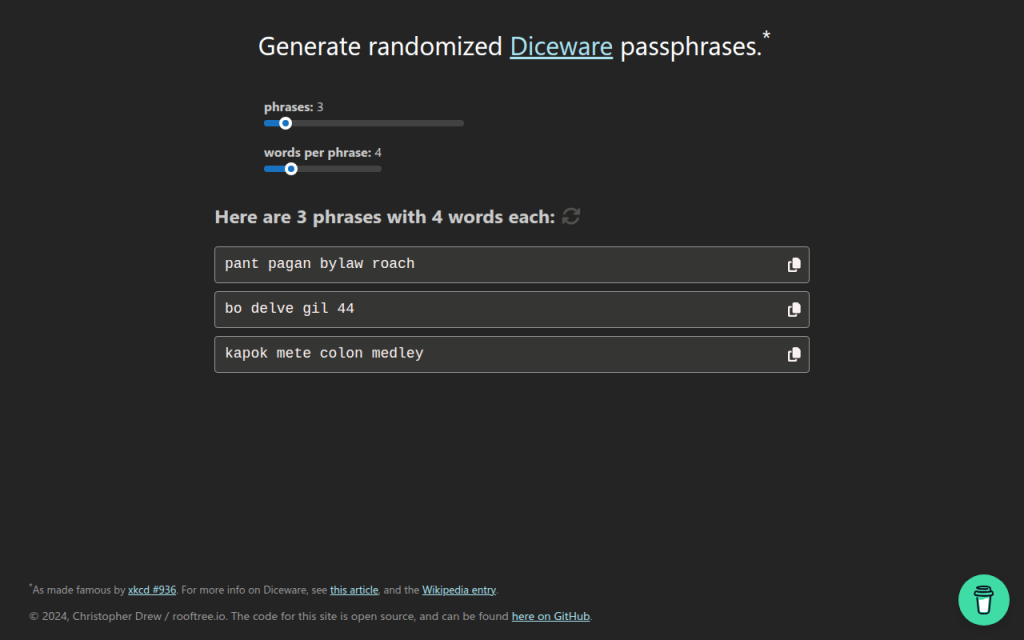
7. Diceware and Passphrase Tools
Diceware-style tools generate passwords from random word lists rather than mixed symbols and characters. This is not always the best fit for strict enterprise password rules, but it is often excellent for long credentials, master passwords, and human-memorable secrets.
The strength of Diceware comes from real randomness and sufficient word count. A short phrase chosen by the user is weak, but a phrase of four to six truly random words from a large list can be very strong. For readers who need a password they may occasionally type manually, this category is often more usable than high-symbol strings.
Many Diceware resources are free and open in spirit, often maintained as standards or simple utilities rather than commercial products.
Website: diceware.org
2. Bitwarden Password Generator
Bitwarden is one of the strongest options for users who want a free password generator online that also fits a rigorous security model. Its advantage is not only password creation, but direct integration with a password vault, browser extension, mobile app, and team workflows.
For most users, this is the ideal architecture. The password is generated in a trusted application context and stored immediately, which reduces clipboard exposure and eliminates the temptation to reuse credentials. Bitwarden is especially strong for technical users because of its transparency and ecosystem maturity.
Bitwarden supports both password and passphrase generation, vault integration across browsers, desktop, and mobile platforms, and team sharing capabilities. Its open-source footprint improves auditability and community review, and core generation features are available in the free tier, with paid upgrades for organizational functionality.
Website: bitwarden.com
3. 1Password Password Generator
1Password offers a polished password generator tightly integrated with one of the most refined password-manager experiences on the market. It supports random passwords, memorable passwords, and account-centric workflows that reduce user error.
Operational quality is the core strength, with excellent UX and a system designed to create, store, autofill, and sync credentials securely. For users who are less interested in auditing implementation details and more interested in a dependable production-grade workflow, 1Password is a very strong choice. It is a primarily subscription-based product where the generator is part of a larger platform.
Website: 1password.com
4. LastPass Password Generator
LastPass includes a generator within its broader password-management environment and also offers web-accessible generation features. It covers basics such as length, symbols, readability options, and password-manager integration.
The product is mature and easy to use, but past incidents affect trust perception for some security-conscious readers. That does not make the generator automatically unusable, but it does mean the trust decision deserves more scrutiny than with some competitors. Pricing includes free and paid tiers, with premium functionality behind subscription plans.
Website: lastpass.com
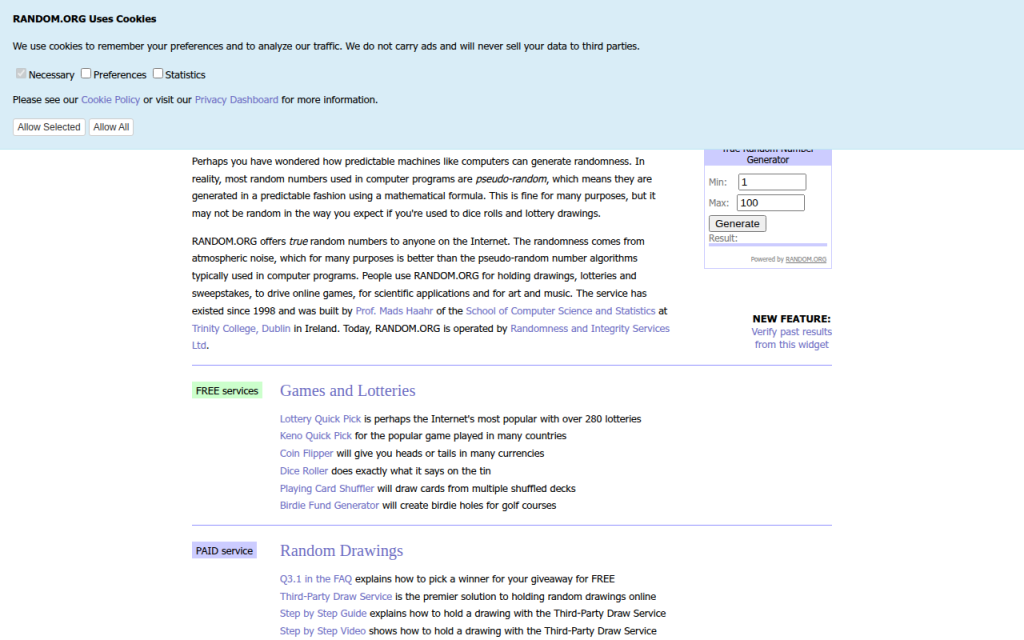
5. Random.org
Random.org occupies a different category from typical client-side password generators. It is known for randomness services based on atmospheric noise, which gives it a unique reputation in broader random-data use cases.
For password generation, the architectural model differs from modern browser-side best practice. Because it is not primarily a password-manager-integrated, client-side vault workflow, it is better suited to users who want a general-purpose random string utility and understand the trust trade-offs involved. Basic public tools are available for free, while other services are billed by usage.
Website: random.org
1. Home
Home is a lightweight web property positioned around efficiency and streamlined utility usage. In the context of a free password generator online, its value is simplicity. For users who do not want a heavy vault interface every time they need a strong password, a clean and fast browser tool can be the right fit.
When well implemented, Home offers minimal friction, direct access, and a modern utility-first presentation. That matters because users often abandon secure workflows when the interface feels cumbersome. A simpler tool can improve actual adoption, which is a security gain in itself. Users should verify that the site uses client-side generation and avoids unnecessary tracking.
Website: jntzn.com
6. PasswordsGenerator.net
PasswordsGenerator.net is a classic example of the standalone web generator model. It provides fast access to common controls such as length, symbols, numbers, memorable output, and exclusion rules, making it convenient for quick one-off password creation.
The limitation is not usability, but transparency depth. Compared with password-manager vendors that publish more extensive security documentation and ecosystem details, simpler generator sites usually provide less context about implementation, threat model, and auditability. That does not automatically make them unsafe, but it raises the burden on the user to verify what the page is actually doing.
Website: passwordsgenerator.net
Building Your Own Secure Password Generator, Reference Implementation
Minimal secure JS example
For developers building a browser-based generator, the minimum viable standard is local execution with window.crypto.getRandomValues() and zero external dependencies in the generation path.
const DEFAULT_CHARSET =
  "ABCDEFGHIJKLMNOPQRSTUVWXYZabcdefghijklmnopqrstuvwxyz0123456789!@#$%^&*()_+-=[]{}|;:,.<>?";

function securePassword(length = 20, charset = DEFAULT_CHARSET) {
  if (!Number.isInteger(length) || length <= 0) throw new Error("Invalid length");
  if (!charset || charset.length < 2) throw new Error("Charset too small");

  const output = [];
  const maxValid = Math.floor(256 / charset.length) * charset.length;
  const buf = new Uint8Array(length * 2);

  while (output.length < length) {
    crypto.getRandomValues(buf);
    for (const b of buf) {
      if (b < maxValid) {
        output.push(charset[b % charset.length]);
        if (output.length === length) break;
      }
    }
  }
  return output.join("");
}

console.log(securePassword(20));
This version uses rejection sampling instead of a simple modulo on arbitrary ranges, which avoids distribution bias when the charset length does not divide the random byte range evenly.
Server-side generator, Node and Python
Server-side generation can be acceptable for internal systems, but it must be treated as secret-handling infrastructure. Logging, metrics, crash reports, and debug traces must all be considered in scope.
Node.js example:
const crypto = require("crypto");

function generatePassword(length = 20) {
  const charset = "ABCDEFGHIJKLMNOPQRSTUVWXYZabcdefghijklmnopqrstuvwxyz0123456789";
  const bytes = crypto.randomBytes(length);
  let out = "";
  for (let i = 0; i < length; i++) {
    out += charset[bytes[i] % charset.length];
  }
  return out;
}

console.log(generatePassword());
Python example:
import secrets
import string

def generate_password(length=20):
    alphabet = string.ascii_letters + string.digits
    return ''.join(secrets.choice(alphabet) for _ in range(length))

print(generate_password())
Security checklist for deployment
A secure deployment requires more than random generation code. The application should be served only over HTTPS, preferably with HSTS enabled. The page should use a strict Content Security Policy, avoid analytics and third-party scripts on the generator route, and pin external assets with SRI if any are necessary.
Code review should confirm that no generated values are written to logs, telemetry pipelines, or error-reporting systems. A strong generator page should function fully offline after initial load, or at least without transmitting the generated secret anywhere.
Tests and entropy verification
Basic tests should verify password length, allowed-character compliance, and absence of obvious bias under large sample sizes. For a web tool, developers should also inspect network traffic during generation to confirm that no requests are triggered by the action itself.
Entropy verification does not prove security, but it can validate configuration. If the charset has 62 symbols and length is 20, expected entropy is roughly 119 bits. That estimate helps document the intended security target and explain default settings to users.
Frequently Asked Questions
Are online generators safe?
They can be. The safest ones generate passwords client-side, use a CSPRNG, avoid third-party scripts, and let the user save directly into a password manager. A random-looking UI alone is not enough.
How many characters are enough?
For most accounts, 16+ random characters is a strong default. If using passphrases, 4 to 6 random words is often an excellent practical range. Requirements vary by system and threat model.
Are passphrases better than complex passwords?
Often, yes, especially when usability matters. A truly random passphrase can provide strong entropy while being easier to type and remember. For sites with rigid composition rules, random character passwords may still be the better fit.
Can I trust open-source more than closed-source generators?
Open source improves auditability, not automatic safety. A transparent project that uses browser CSPRNGs and publishes its implementation is easier to evaluate. A closed-source product can still be strong if the vendor has credible security engineering and a good operational record.
What if a site enforces weird password rules?
Adapt the generator settings to satisfy the site while preserving length. If a site rejects certain symbols, remove those symbols and increase length slightly. Modern best practice prioritizes entropy and uniqueness over arbitrary complexity theater.
Recommended Policy and Quick Reference
Quick-reference checklist
Choose a generator that uses client-side CSPRNG randomness, prefer tools integrated with a password manager, generate unique credentials for every site, and avoid exposing the result through notes, screenshots, or repeated clipboard use. For security-sensitive users and developers, verify that the site loads no third-party scripts during generation, that generation does not trigger network requests, and that the implementation is documented clearly enough to trust.
Recommended default settings
For general websites, use 16 to 24 characters, include upper and lower case letters, digits, and symbols unless compatibility issues force exclusions. For human-typed credentials or master-password-style use cases, consider 4 to 6 random Diceware-style words.
Do not rotate strong unique passwords on a fixed calendar without reason. Instead, change them when compromise is suspected, credentials are reused, devices are lost, or account scope changes. Always pair important accounts with multi-factor authentication.
Further reading and references
The practical standard reference is NIST SP 800-63B, which emphasizes password length, screening against known-compromised secrets, and avoiding outdated complexity rituals. Browser cryptography guidance from platform documentation is also essential for developers implementing client-side generation.
The fastest next step is to select one trusted tool from the list above, generate a new password for a high-value account, and save it directly into a password manager. That single workflow change usually delivers more real security than any amount of password advice read in theory.