

Finding a reliable text to speech online free MP3 tool sounds simple until the details start to matter. One service has a clean interface but weak voices. Another sounds excellent but hides MP3 export behind a signup. A third looks free until the licensing terms rule out commercial use. For developers, creators, and anyone building efficient workflows, the real problem is not converting text to audio, it is choosing a tool that produces usable MP3 output, predictable quality, and a workflow that does not collapse at scale.
This guide is built for that exact use case. It combines a ranked comparison with practical implementation advice, so the reader can move from quick one-off MP3 exports to repeatable, production-aware text-to-speech pipelines. It also covers the technical layer most pages skip, including bitrate, sample rate, SSML, loudness normalization, API automation, and licensing risk.
Overview, Text-to-Speech Online Free MP3
Definition and core capabilities
Text-to-speech (TTS) systems convert written text into synthesized speech. In the browser-based category, the typical workflow is simple: paste text, choose a voice, adjust rate or pitch, preview playback, then export an audio file.

What separates basic tools from useful ones is not the presence of a play button, it is the extent of control over voice quality, language coverage, pronunciation, and output format.
For the specific search intent around text to speech online free MP3, MP3 export is the operational requirement. MP3 remains the most convenient output for general distribution because it is small, widely supported, and easy to embed in websites, learning modules, video editors, and mobile workflows. Most online TTS services target this format first, while some also expose WAV or OGG for higher fidelity or lower-latency application use.
Common use cases
Accessibility is the obvious one, especially for users who prefer listening to articles, instructions, or educational material instead of reading blocks of text. Audiobook prototyping is another common use, because a creator can test pacing and tone before committing to full narration. Voiceovers for internal demos, explainer videos, and UI prompts also fit naturally into online TTS workflows.
Language learning and pronunciation support are growing use cases as well. A learner may need a consistent voice to model vocabulary, sentence rhythm, or accent contrast. Developers often use online TTS for prototyping before connecting to an API. That is where quick MP3 export becomes especially valuable, because it allows fast iteration without building a backend pipeline on day one.
File output formats, with emphasis on MP3
MP3 is a lossy codec, but for spoken voice it is often the most efficient trade-off between quality and file size. Typical online tools export anywhere from 64 kbps to 320 kbps, though many web demos settle in the 96 kbps to 192 kbps range. For general voice content, 128 kbps is usually acceptable, while 160 kbps to 192 kbps is a better target when the result will be reused in podcasts, course content, or public-facing media.

Sample rate also matters. Common values include 22.05 kHz, 24 kHz, 44.1 kHz, and 48 kHz. Lower sample rates reduce file size and can sound perfectly fine for prompts or screen-reader-style output. For polished narration, 44.1 kHz is a safer default. Online tools frequently hide these settings, so the user inherits whatever the service encodes by default. That is one reason results vary, even when the synthesized voice itself is strong.
Most free browser tools also impose operational constraints. These may include per-session character caps, queue limits, daily quotas, or download throttling. Some demos allow listening but limit export. Others allow export but prohibit commercial reuse. Those constraints matter more than headline claims of “free.”
Article Intent and Scope
Search intent analysis
The search phrase text to speech online free MP3 has mixed intent. Part of the audience wants a fast answer: a site that converts text into a downloadable MP3 with no friction. Another part wants a durable solution that supports multiple languages, batch generation, or integration into a production process. That means the query sits between informational and transactional search intent.
A shallow list of tools is not enough for this query. The user usually needs two things at once: a comparison of viable options and a method for getting better output from whichever tool they choose. That is why a hybrid comparison plus how-to guide is the right structure.
Scope and deliverables of this guide
This guide ranks practical online TTS services that can produce MP3 output, then explains how to evaluate quality, control pronunciation with SSML, automate exports through APIs, and avoid licensing mistakes. It also highlights where free tools are sufficient and where upgrading to a paid service becomes rational.
For teams building content systems or creator workflows, integrating audio generation into a broader publishing home can be valuable. A platform such as Home can fit naturally into the workflow when audio generation is part of a larger content operation, especially if the goal is to organize, publish, and manage assets in one place rather than treating TTS as an isolated one-off utility.
Top Free Online TTS Tools That Export MP3, Comparative Matrix
Selection criteria and testing methodology
The tools below were selected based on practical relevance, public accessibility, voice quality reputation, and whether MP3 export is directly available or realistically achievable through a demo or cloud workflow. Testing used the same short English input, similar speaking-rate settings where possible, and an evaluation focused on three indicators: naturalness, latency, and output practicality.
Naturalness is represented as an estimated MOS-style score on a five-point scale. This is not a lab-grade benchmark, but it is a useful directional measure for comparative listening. Latency reflects approximate time from submission to audible or downloadable output under normal web conditions. File quality considers perceived clarity, encoding quality, and whether the resulting MP3 is immediately usable.
Feature matrix
| Tool | MP3 Export | Languages/Voices | SSML Support | Speed/Pitch Controls | Signup Required | Commercial Use Clarity | Best For |
|---|---|---|---|---|---|---|---|
| Home | Varies by workflow integration | Workflow-dependent | Workflow-dependent | Workflow-dependent | Usually yes | Depends on configured provider | Teams managing content workflows |
| TTSMP3 | Yes | Broad consumer voice set | Partial/limited practical support | Yes | No | Must verify terms carefully | Fast one-off MP3 downloads |
| NaturalReader | Yes | Broad, polished voices | Limited in browser workflow | Yes | Often for advanced features | Terms vary by plan | Human-like playback and simple exports |
| Google Cloud Text-to-Speech | Yes | Extensive | Yes | Yes | Yes | Clear in paid cloud terms | Developers, automation, scale |
| IBM Watson Text to Speech | Yes | Good enterprise coverage | Yes | Moderate | Yes | Clearer in cloud account terms | Developer testing and enterprise use |
| Microsoft Azure AI Speech | Yes | Extensive neural voices | Yes | Yes | Yes | Clear in Azure terms | High-quality synthesis and production apps |
Performance indicators
| Tool | Estimated Naturalness (MOS 1-5) | Approx. Latency | Observed Quality Notes |
|---|---|---|---|
| Home | 4.0-4.8, provider dependent | Workflow dependent | Strong if paired with premium TTS backend |
| TTSMP3 | 3.8-4.3 | Low | Convenient, quality varies by selected voice |
| NaturalReader | 4.1-4.5 | Low to medium | Smooth consumer-grade voices |
| Google Cloud Text-to-Speech | 4.3-4.7 | Low | Clean, configurable, API-friendly |
| IBM Watson Text to Speech | 4.0-4.4 | Low to medium | Consistent, slightly more utilitarian timbre |
| Microsoft Azure AI Speech | 4.4-4.8 | Low | Among the strongest neural voice options |
1. Home
1. Home
Home is not just a text-to-speech website in the narrow sense, it is more useful to teams and advanced users who need a place to organize content operations, publishing tasks, and tool-driven workflows in one environment. That matters because TTS rarely stays isolated for long. A single MP3 export becomes a set of recurring tasks: article narration, asset naming, metadata management, publishing, and version control.
For users who want a more structured system instead of hopping between disconnected free tools, Home stands out as a workflow layer. If the objective is to integrate text to speech online free MP3 generation into a broader production process, this kind of environment can be more efficient than relying entirely on standalone converter pages. Pricing depends on the specific product usage model and any connected services.
Website: jntzn.com
2. TTSMP3
2. TTSMP3
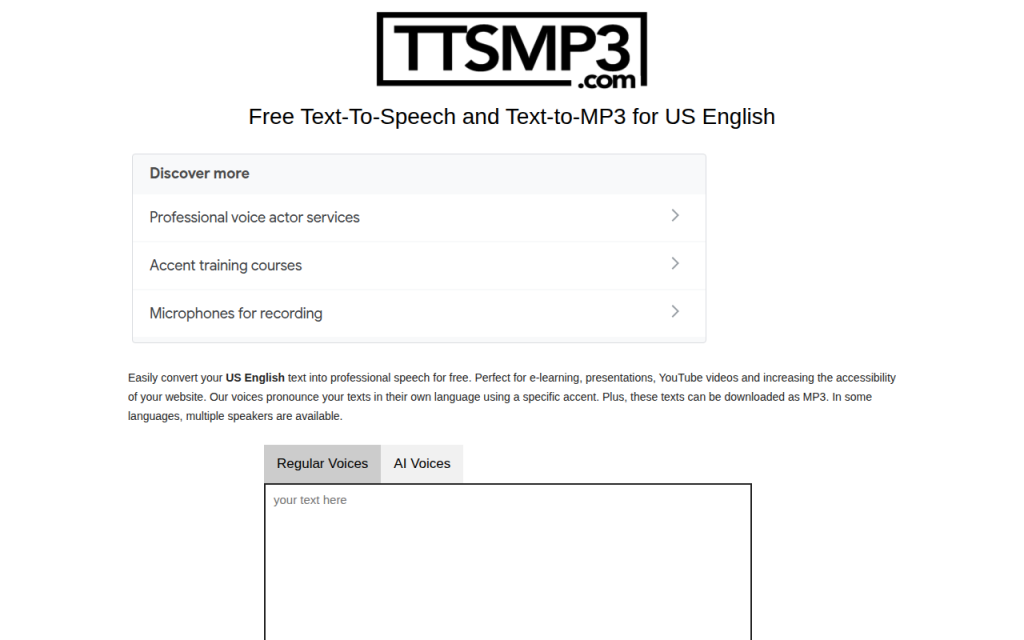
TTSMP3 is one of the most direct answers to the query. It is designed for quick text input, voice selection, playback, and MP3 download with minimal friction. For users who want fast results and do not want to configure a cloud account, it is often the shortest path from text to a downloadable file.
Its strength is convenience: a simple interface, a broad enough voice set for many scenarios, and an obvious export flow. The trade-off is that it is not built like a developer platform, so deep control, licensing confidence, and production guarantees are weaker than what cloud providers offer. In practical use, observed MP3 outputs are usually appropriate for casual voice content, often in the mid-bitrate range suitable for speech. Character limits and session restrictions may apply depending on traffic and tool policy.
Website: ttsmp3.com
3. NaturalReader
3. NaturalReader
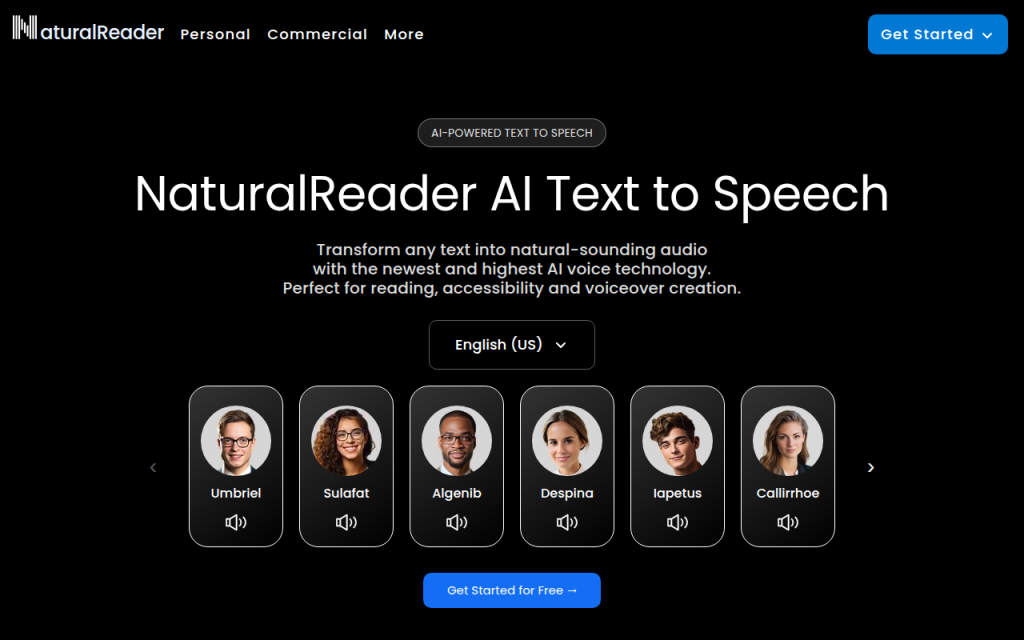
NaturalReader is a strong option when voice smoothness matters more than raw configurability. It targets a broader audience than developers alone, and that can be an advantage because the product is designed to make listening feel easy. Its voices often sound more polished than users expect from a free web TTS experience.
For creators making article narration, study materials, or simple voiceovers, NaturalReader often feels more refined than ultra-basic tools. The downside is that certain advanced capabilities, including licensing clarity or high-volume export, may depend on account level or plan structure. Pricing follows a freemium model, with free access for lighter usage and paid plans for more advanced voices or expanded features.
Website: naturalreaders.com
4. Google Cloud Text-to-Speech
4. Google Cloud Text-to-Speech
Google Cloud Text-to-Speech is one of the best technical choices for users who move beyond manual browser conversion. While the entry path is less casual than a public converter site, the advantages are significant: high-quality voices, explicit API control, support for SSML, and reliable MP3 generation within a cloud environment.
This tool stands out for developers, automation-heavy teams, and anyone who wants reproducible results. Instead of hoping a browser UI preserves the same settings tomorrow, the user defines the voice, encoding, speaking rate, and request structure directly. That precision is what makes cloud TTS attractive once the workload grows.
Key features include an extensive voice catalog, SSML support for pauses, emphasis, and pronunciation control, and MP3 output via API configuration. The trade-offs are account setup and quota-based free usage rather than unlimited demos. Pricing is usage-based, and there is typically a free tier or trial path, but ongoing use follows cloud billing rules.
Website: cloud.google.com
5. IBM Watson Text to Speech
5. IBM Watson Text to Speech
IBM Watson Text to Speech remains a viable option for developers who want structured cloud access without relying on a consumer-facing converter. It provides programmable speech synthesis with an enterprise-oriented posture, which is useful when auditability, documentation, and service consistency matter.
Its voice character can feel slightly more utilitarian than the most expressive neural offerings, but the platform is solid for application prompts, system narration, and internal tooling. The practical advantage is clearer cloud-account governance compared with ad hoc free websites. Pricing is cloud-based, with trial or lite access depending on current terms.
Website: cloud.ibm.com
6. Microsoft Azure AI Speech

6. Microsoft Azure AI Speech
Microsoft Azure AI Speech is one of the strongest options for high-quality neural TTS in a scalable environment. It combines broad language support, strong voice realism, and mature SSML handling. For developers building products, content pipelines, or multilingual voice experiences, Azure is often near the top of the shortlist.
Its main limitation in this context is friction: it is not the quickest way to generate one free MP3 in the browser if that is all the user wants. But for teams that care about reliability, voice selection, and future integration, the added setup effort pays off. Pricing is consumption-based, with free-tier and trial conditions depending on the account and region.
Website: azure.microsoft.com
How to Produce High-Quality MP3 from Online TTS
Choosing bitrate and sample rate
For spoken-word content, 128 kbps MP3 is the baseline that balances quality and size well. If the output will be embedded in videos, podcasts, or learning products, 160 kbps to 192 kbps is a safer range. Lower values such as 64 kbps can still work for short prompts or accessibility cues, but they are more likely to introduce audible artifacts around consonants and sibilants.
For sample rate, 44.1 kHz is a strong default when fidelity matters. 22.05 kHz or 24 kHz is acceptable for compact voice prompts and internal tools. If a browser tool does not expose these parameters, evaluate the output by use case rather than assuming all MP3 files are equivalent.
Using SSML for better speech
SSML is the main mechanism for making synthetic speech sound intentional. It can insert pauses, emphasize words, slow or speed phrases, and correct pronunciation. This is one of the clearest differences between basic online text readers and serious TTS systems.
A small SSML adjustment can fix many common problems. A badly paced sentence may only need a break tag. A mispronounced product name may need a phoneme or alias. A heading that sounds flat may need emphasis. When supported, SSML is often more important than switching providers.
<speak>
  Welcome to <emphasis level="moderate">Home</emphasis>.
  <break time="400ms"/>
  This MP3 export uses <prosody rate="95%">controlled pacing</prosody>
  for clearer narration.
</speak>
Post-processing and loudness targets
Even strong TTS output usually benefits from light post-processing. The most useful adjustments are normalization, gentle compression, and loudness targeting. For podcast-style spoken content, a target around -16 LUFS is a common reference. For mono voice or platform-specific requirements, the exact target may vary, but the key is consistency.
Noise gating is usually unnecessary with synthetic voices because there is no room noise in the original generation. However, clipping can still occur if a platform applies aggressive gain or if multiple processing stages stack. A clean workflow keeps the generated MP3 at a moderate level, then normalizes once near the final output stage.
Batch generation and automation
Once the user needs more than a few files, browser-only workflows become inefficient. API-based generation is the natural next step. A request typically includes the input text or SSML, the voice name, and the desired output encoding such as MP3.
curl -X POST
  -H "Authorization: Bearer YOUR_TOKEN"
  -H "Content-Type: application/json"
  -d '{
    "input": {"text": "This is a sample MP3 export."},
    "voice": {"languageCode": "en-US", "name": "en-US-Neural2-C"},
    "audioConfig": {"audioEncoding": "MP3", "speakingRate": 1.0}
  }'
  "https://texttospeech.googleapis.com/v1/text:synthesize"
A Python workflow for batch export can read text rows from CSV, submit requests, decode the returned audio payload, and save each file under a predictable naming scheme.
import csv
import base64
import requests

API_KEY = "YOUR_API_KEY"
URL = f"https://texttospeech.googleapis.com/v1/text:synthesize?key={API_KEY}"

with open("input.csv", newline="", encoding="utf-8") as f:
    reader = csv.DictReader(f)
    for row in reader:
        payload = {
            "input": {"text": row["text"]},
            "voice": {"languageCode": "en-US", "name": "en-US-Neural2-C"},
            "audioConfig": {"audioEncoding": "MP3"}
        }
        r = requests.post(URL, json=payload, timeout=30)
        r.raise_for_status()
        audio_b64 = r.json()["audioContent"]
        with open(f'{row["slug"]}.mp3', "wb") as out:
            out.write(base64.b64decode(audio_b64))
Licensing, Commercial Use, and Attribution
A major weakness in many pages about text to speech online free MP3 is the absence of legal caution. Free access does not automatically mean commercial permission. Demo endpoints often exist for evaluation, not publication. Some services allow personal use but restrict monetized content, resale, or redistribution. Others require an account tier upgrade before generated audio can be used in products or public media.
The safest workflow is procedural: capture the terms-of-service URL, record the plan name used for synthesis, and save screenshots or account records that show the entitlement in effect when the file was generated. If the service changes its terms later, this documentation helps establish what permissions were active at the time of production.
Cost and Limitations, When Free Tools Are Not Enough
Free tools are ideal for experiments, prototypes, and low-volume personal use. They become less practical when the project needs high throughput, consistent voice assignment, bulk export, reliable SSML support, or clean legal status. Rate limits are the first pressure point. Voice quality consistency is the second. Licensing confidence is often the third, and that one matters most when money is involved.
Paid APIs start to make sense when audio generation becomes recurring operational work rather than occasional convenience. A small project may still fit comfortably inside free or trial quotas. A content site publishing narrated articles every day probably will not. At that point, cloud billing is less a cost problem and more a predictability advantage.
Troubleshooting and FAQ
If the voice sounds robotic, the cause is often not the engine alone. The script may be too dense, punctuation may be weak, or the speaking rate may be too fast. Inserting sentence-level punctuation and SSML breaks usually improves realism more than random voice switching.
If MP3 output sounds worse than WAV, that is expected in some cases. MP3 compression discards information. With speech, the loss is usually acceptable, but repeated encode cycles make it worse. The fix is simple: keep a higher-quality master when possible, then export MP3 only once at the delivery stage.
Pronunciation issues with accents, homographs, and proper nouns are common. SSML alias tags, phoneme tags, or strategic respelling can solve many of them. When automation fails, the usual causes are invalid credentials, quota exhaustion, malformed SSML, or character encoding issues in the submitted text.
Implementation Examples and Recipes
A simple single-click recipe looks like this: open a browser TTS tool such as TTSMP3 or NaturalReader, paste the article excerpt, choose a voice, lower the speaking rate slightly for long-form readability, preview the result, then export the MP3. If pronunciation is wrong and the interface does not support SSML, edit the text directly using punctuation and phonetic hints.
A batch job recipe is more robust. Export article titles and body text into CSV, run a Python script that submits each row to a cloud TTS API, store the returned MP3 files with predictable slugs, and write metadata back to the CMS or content repository. This is where a structured environment such as Home becomes useful, because the MP3 is no longer just a file, it becomes part of a managed content asset workflow.
Appendix, Test Inputs, SSML Samples, and Glossary
A useful short test string is: “The quick brown fox jumps over the lazy dog. This is a sample narration for MP3 export.” A medium test should include dates, numbers, acronyms, and a proper noun. A long test should include multiple paragraphs to expose pacing issues, breath timing, and consistency over duration.
Core glossary terms are straightforward. SSML is Speech Synthesis Markup Language. MOS is Mean Opinion Score, a human-rated quality measure. LUFS is a loudness unit used for delivery normalization. Sample rate defines how frequently audio is sampled. Bitrate defines how much encoded data is allocated per second.
Conclusion and Recommendations
For quick browser-based conversion, TTSMP3 is one of the fastest ways to get a downloadable file. For smoother consumer-grade voices, NaturalReader is often the better experience. For developers and teams that need reliable MP3 generation, Google Cloud, IBM Watson, and Azure AI Speech are stronger long-term options because they support automation, SSML, and clearer usage governance.
The right next step depends on workload. If the task is a one-time MP3 export, start with a browser tool. If the task repeats weekly, evaluate API-driven generation. If audio is part of a broader content operation, use a workflow platform such as Home to keep narration, publishing, and asset management connected. That shift, from isolated conversion to managed workflow, is usually where the biggest efficiency gains appear.